



Exhibitor Management Software
What is exhibitor management software?
Exhibitor management software is how an organizer runs the companies exhibiting at a trade show, expo or conference: selling the booths, collecting each exhibitor's details, giving their staff access, and giving them the leads they came for.
On Eventdex it is part of the same platform as registration, check-in and the event app. Exhibitors book their booth on the floor plan, manage their profile and booth staff in their portal, scan leads with the lead retrieval app, and you see every booth and every scan from the organizer's side.
Updated by the Eventdex team



4.7/5 from 39 reviews on each
Booth sales on the floor plan
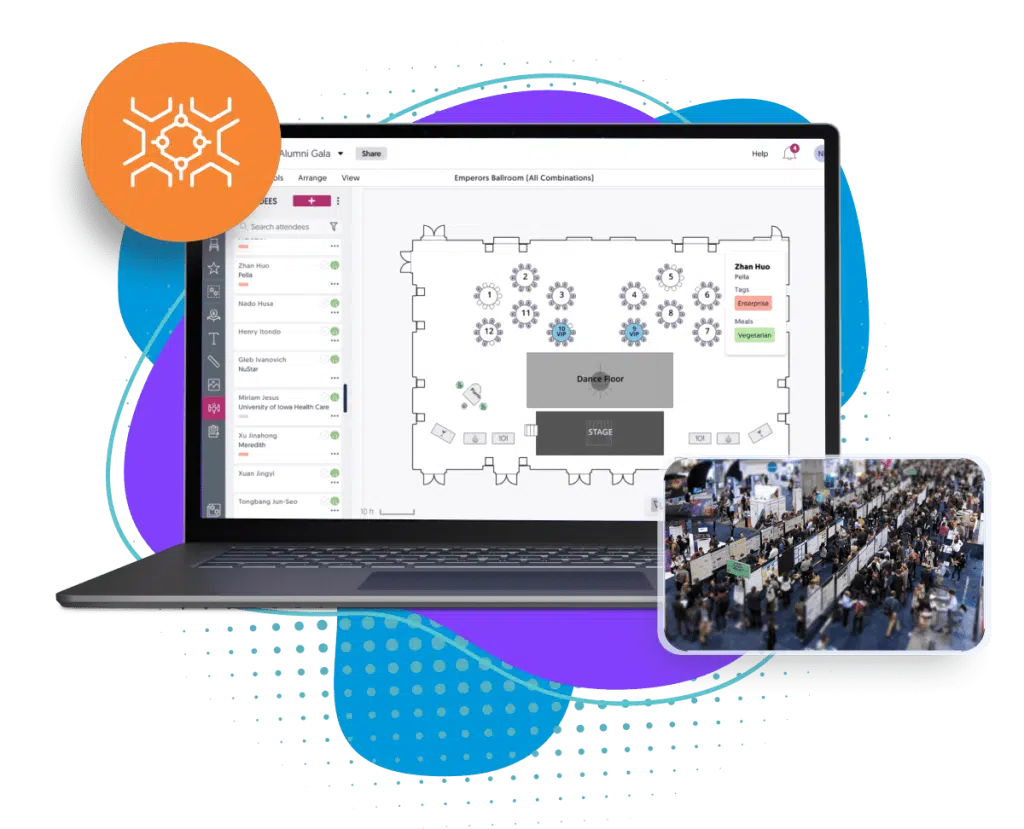
Booths are sold as tickets, so a booth is paid for in the same checkout as any other registration. Each booth is drawn on the floor map you upload, and exhibitors see which are available, reserved and sold before they choose one.
Booths as tickets
Create a ticket of the type Booth/Tables for each booth, with its number or name, price and quantity.
Set up floor map booth selectionThe floor map
Upload the hall plan as an image or PDF, mark each booth on it, and set the colors for available, sold and reserved booths.
Event floor plan softwareBooth details
Booth number, size, area and room for each exhibitor, editable from the Exhibitors section when a booth moves.
Edit booth details
The exhibitor portal
Each exhibitor gets a profile attendees see in the event app, and a portal where their team manages it. Organizers can add exhibitors themselves, or let exhibitors fill in their own details.
Company profile
Company name, logo, overview, contact details, social links, a promotional video and marketing files, shown public or private as you choose.
Add exhibitor informationBrochures in the app
Exhibitors or the organizer upload brochures and product sheets as PDFs, shown in the lead retrieval app.
Add marketing materialsVirtual booths
For virtual and hybrid shows, a booth with a logo, banner, menu links, video and business card, copied from a past event if the exhibitor has one.
Booth set-up instructionsCommodities and categories
Custom data for each event: commodities and sub commodities, NAICS and diversity codes, regions, business structure, revenue and number of employees.
Add commodity data
Booth staff and roles
Exhibitors that buy several lead retrieval licenses are grouped, so their team works from one set of leads. Each member is a BoothLeads Admin or BoothLeads Staff, and can be switched active or inactive as the team changes.
Groups per exhibitor
Create a group for an exhibitor and drag its license holders into it.
Create an exhibitor groupLead qualifier questions
The booth admin adds up to 10 questions - single choice, check boxes, a list or free text - that staff answer for each lead they scan.
Add lead qualifier questions
Lead retrieval for exhibitors
Lead retrieval is usually what exhibitors judge a show by. Staff scan the QR code on attendee badges with the app on their own iPhone or Android phone, qualify the lead, and export the list as a CSV or straight to Salesforce.
No duplicate leads
A visitor scanned twice shows as Lead Already Exists, and the existing lead can be found by name or company.
How repeat scans are handledExport to the CRM
Exhibitors export their leads from the app or the portal, filtered by the staff member who scanned them.
Export scanned leadsBusiness cards
Contacts without a badge are captured by scanning their business card.
Business card scanner
What organizers see
The organizer sees the whole floor: which booths have sold, how many scans each exhibitor made, and which booths each attendee visited. That is the evidence that sells next year's booths.
Booths visited
For each attendee, the number of booths they visited and which ones.
Booths visited per attendeeSponsors alongside
Sponsors are managed the same way, with a sponsorship category and logo size for each.
Event sponsorship
The Eventdex platform
Everything your exhibitors use, on one platform
- Floor plans and booth bookingExhibitors choose and book their booth on an interactive floor plan.Learn more about Floor plans and booth booking
- Exhibitor registrationBooths, exhibitor passes and attendee tickets in one checkout.Learn more about Exhibitor registration
- Lead retrieval appBadge scanning, lead qualifiers and CRM export for booth staff.Learn more about Lead retrieval app
- Buyer and exhibitor meetingsAI matchmaking and scheduled meetings between buyers and exhibitors.Learn more about Buyer and exhibitor meetings
- Exhibitors in the event appExhibitor profiles and the floor map in your branded event app.Learn more about Exhibitors in the event app
- Trade show softwareBooth sales, badges, leads and meetings for the whole show.Learn more about Trade show software
“Very smooth... Liked selecting meetings and blocking off time. Amazing! Would use again! ... I met with the people I wanted to meet and appreciated the option to read the profiles and decline meetings if someone would not be a good fit.”
 University at Buffalo
 Eversource Energy
 Georgia Tech
 Influence Communications
FAQ
Exhibitor Management Software: common questions
What is exhibitor management software?
Software an organizer uses to run the companies exhibiting at a show: selling booths, collecting exhibitor details, giving booth staff access, providing lead retrieval and reporting on each exhibitor's results.
What is an exhibitor portal?
The exhibitor's own login, where their team manages the company profile attendees see, uploads brochures, sets up their booth and exports the leads they scanned.
Can exhibitors book and pay for a booth online?
Yes. On Eventdex booths are sold as tickets and drawn on the floor map, so exhibitors see which booths are available, choose one and pay for it in the registration checkout.
How many staff can an exhibitor have?
As many as the exhibitor has lead retrieval licenses. The organizer groups them under the exhibitor, and each is a BoothLeads Admin or BoothLeads Staff.
How do exhibitors get their leads?
Booth staff scan attendee badges with the lead retrieval app on their own phone, answer the exhibitor's qualifier questions, and export the leads as a CSV or to Salesforce.
Does it work for virtual and hybrid exhibitors?
Yes. Virtual exhibitors get a booth with their logo, banner, links, video and business card, and attendees can chat or video call the booth staff.
Run your exhibitors on Eventdex
Start with a free interactive floor plan, or talk to an event specialist on +1 (866) 434-5088.