
Event Check-In Kiosk
Self-service check-in that prints the badge on the spot
Set up self-service kiosks and let attendees check themselves in: they scan their QR code or enter their details, and their badge prints on the spot.
Kiosk mode cuts the staff you need at the registration desk, and last-minute walk-ins can register and buy a ticket at the kiosk. If you need hardware, iPads, tablets, printers and kiosks are available to rent.


4.7/5 from 39 reviews on each
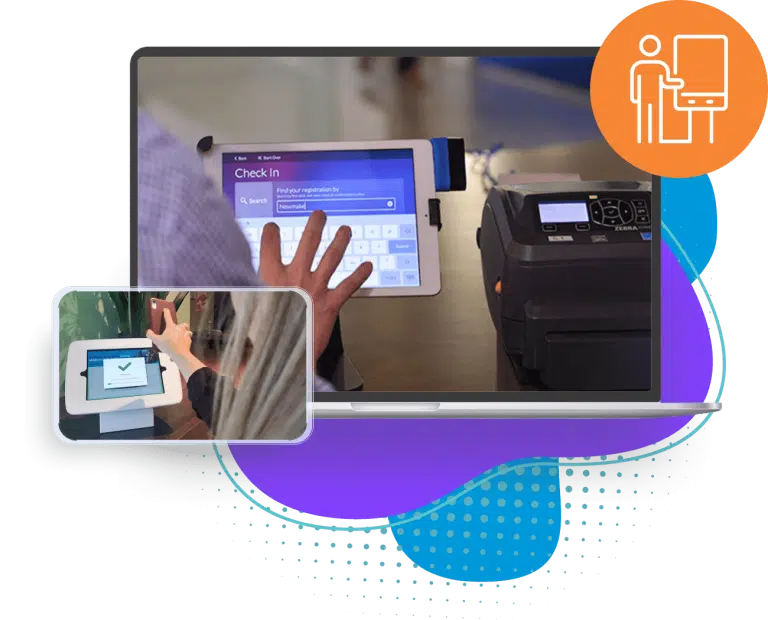
At the kiosk
What an Eventdex check-in kiosk does
- QR code check-inAttendees scan the QR code from their confirmation and are checked in instantly.Learn more about QR code check-in
- Self-print badgesBadges print at the kiosk on Zebra, Epson and Brother printers, with the attendee's details on them.Learn more about Self-print badges
- Walk-in registration and paymentLast-minute walk-ins register and buy their ticket at the kiosk.Learn more about Walk-in registration and payment
- Badge designerDesign the badge the kiosk prints with a drag-and-drop badge designer.Learn more about Badge designer
- Hardware to rentiPads, tablets, printers, kiosks and accessories are available to rent for the event.Learn more about Hardware to rent
- Staffed check-in tooRun staffed check-in on iOS and Android phones and tablets alongside the kiosks.Learn more about Staffed check-in too
Why teams use Eventdex kiosks
Shorter lines
Attendees check themselves in and print their own badge, so the registration desk stops being a queue.
Fewer staff at the desk
Kiosk mode lets a small team cover check-in while they handle the questions only people can answer.
Print on the printers you have
Kiosks print on Zebra, Epson and Brother printers - or rent the hardware for the event.
“Eventdex helped me run a smooth registration process during my event and helped me deliver an excellent mobile application to my event's attendees. Their support team was brilliant and I really enjoyed incorporating the Eventdex solutions into my events.”
 University at Buffalo
 Eversource Energy
 Georgia Tech
 Influence Communications
FAQ
Event Check-In Kiosk: common questions
What is an event check-in kiosk?
An event check-in kiosk is a self-service station where attendees check themselves in - by scanning a QR code or entering their details - and print their own badge, instead of queueing at a staffed desk.
Can attendees print their own badges at the kiosk?
Yes. The badge prints at the kiosk as soon as the attendee checks in.
Can walk-ins register at the kiosk?
Yes. Last-minute walk-ins can register and buy a ticket at the kiosk.
What hardware does a check-in kiosk need?
An iPad or tablet and a badge printer - Zebra, Epson or Brother. If you do not have them, iPads, tablets, printers and kiosks are available to rent.
Set up self-service check-in for your next event
Start with a free interactive floor plan, or talk to an event specialist on +1 (866) 434-5088.