


Custom Reports for Exporting the Data
By Krishna Vaaka
The Custom Report provides attendee information and allows you to select specific fields or additional data for export.
Step 1: Login to Eventdex Portal using your credentials and select the event.
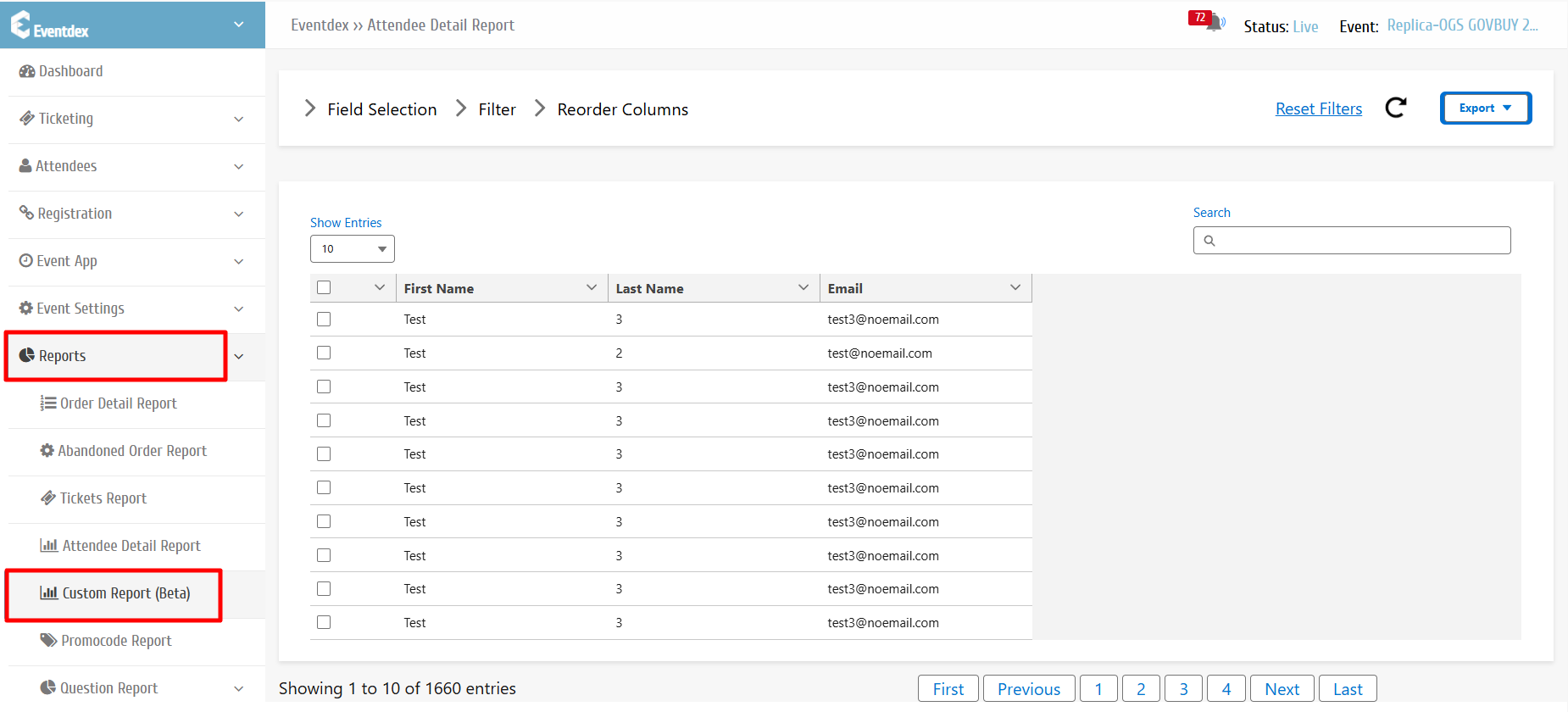
Step 2: Navigate to Eventdex Dashboard >> Reports >> Select Custom Report (Beta).
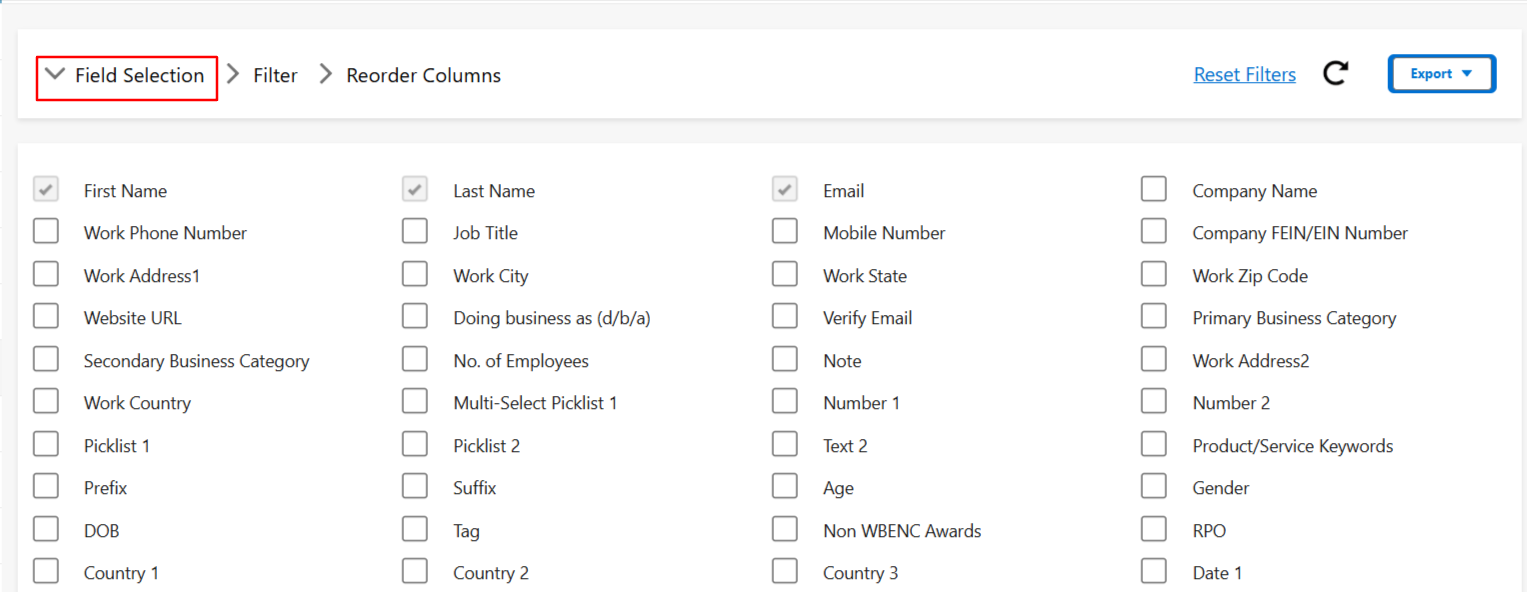
Field Selection: By default, the First Name, Last Name, and Email Address fields are selected. You can choose additional fields from the Field Selection column.
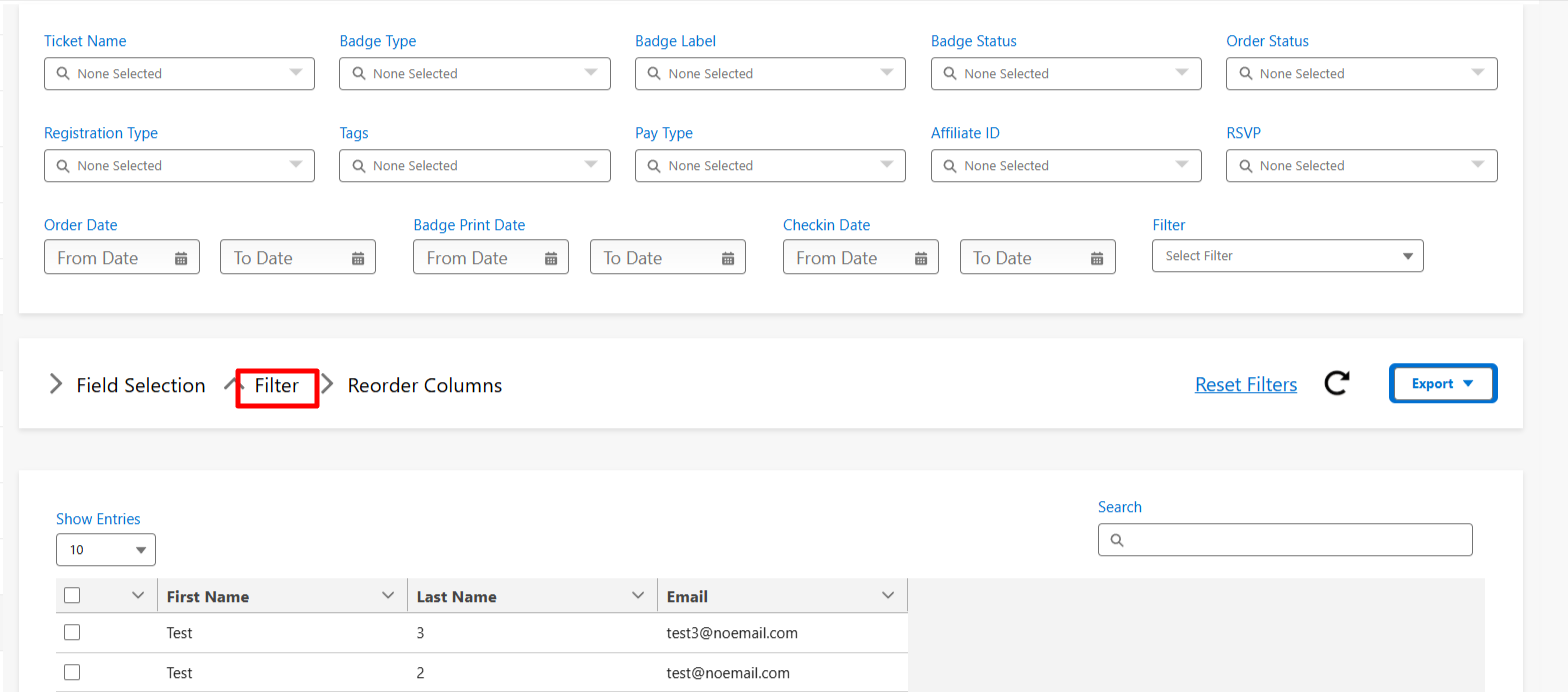
Filter: Apply filters such as ticket types, registration type, order date, and more to refine the data.
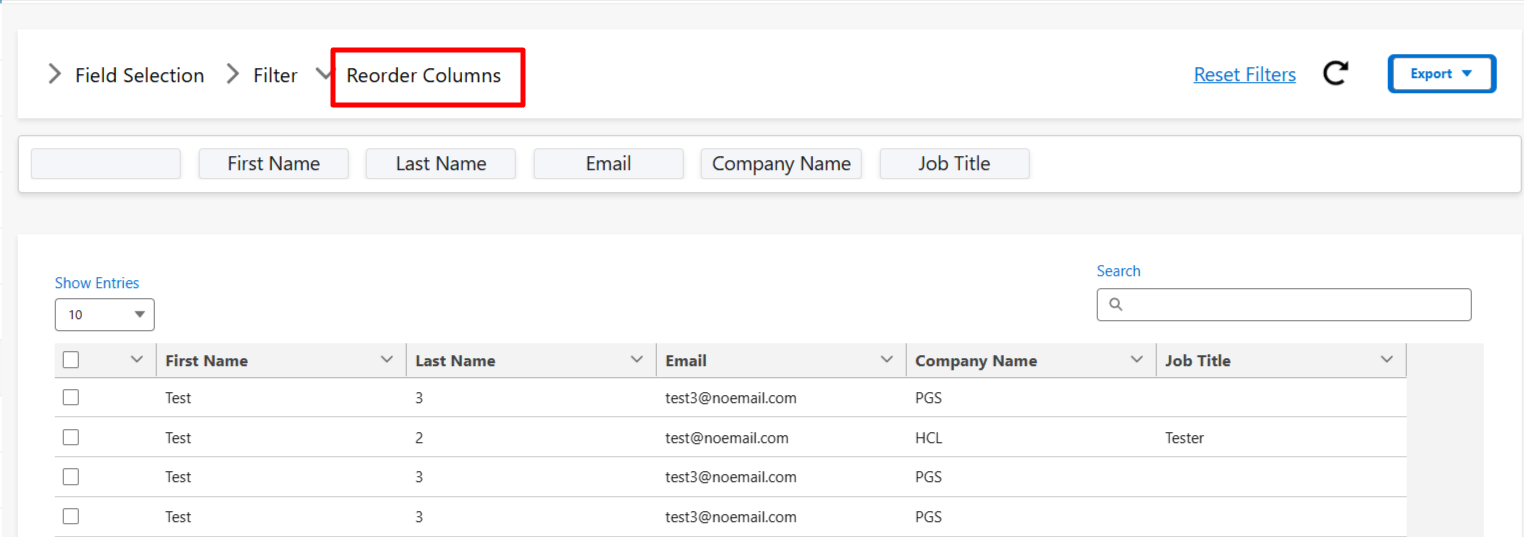
Reorder Columns: Arrange the selected fields in your preferred order before exporting.
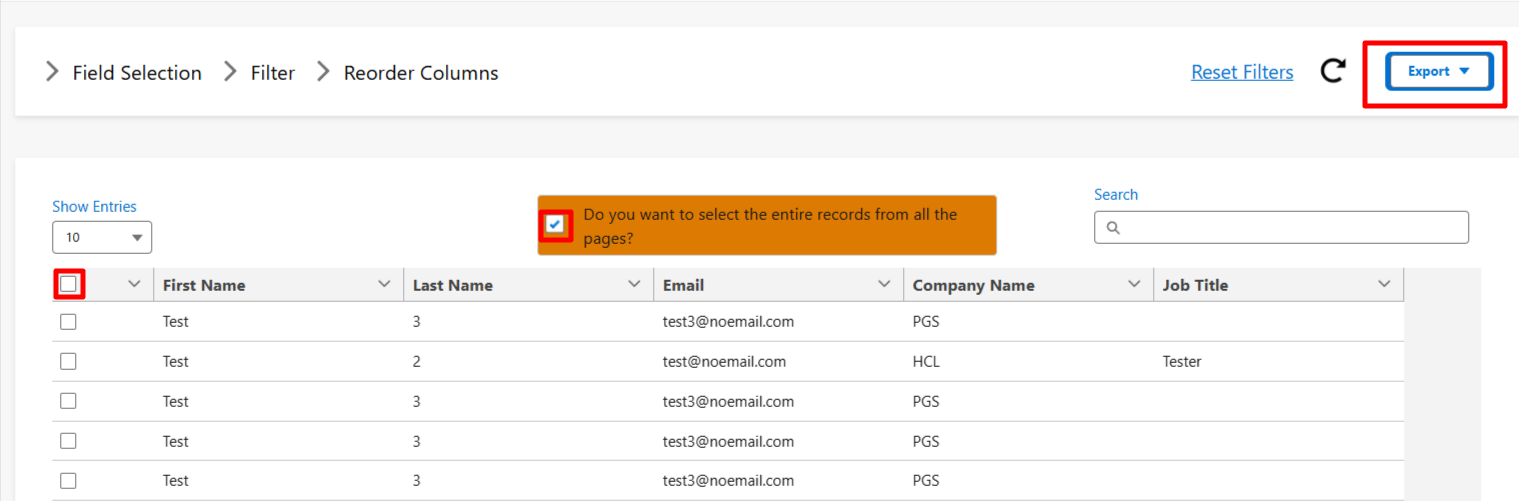
Export: Select all records and export the data in either CSV or XLS format.