



How to Reduce Event Check-In Queues
How do you get attendees through the door faster?
Move work out of the line. Collect details and send QR codes before the event, give each kind of arrival its own lane, let people check themselves in, and print badges only when needed. A queue is mostly the time each person spends at the desk multiplied by the number of people waiting, so every step you remove helps.
This guide covers the planning steps in the order to do them. It adds to the guides on running check-in on the day and on crowd flow, which are linked below.
Updated by the Eventdex team


4.7/5 from 39 reviews on each
Do the slow work before the doors open
Anything done at the desk is done while others wait. Do it earlier.
Pre-register everyone you can
Collect names, ticket type and any badge details in advance so nobody types at the desk.
Send each attendee a QR code
Put it in the confirmation and in a reminder sent shortly before the event, so it is easy to find on a phone.
Tell people where to go
Say in the reminder which entrance and lane to use and what to have ready.
Clean the list
Fix duplicates and missing names early, because every exception costs more time in a line.
Give each kind of arrival its own lane
Mixing quick and slow cases in one line makes everyone wait for the slowest. Separate them.
| Lane | Who uses it | What makes it fast |
|---|---|---|
| Pre-registered | Attendees with a QR code | Scan and go, with badges ready or printed on demand |
| Walk-ups | People without a ticket | Staff or a kiosk to register and pay, away from the main flow |
| VIP and speakers | Invited guests | A named host and a short list, so there is no search |
| Badge pickup and problems | Lost codes, name changes | A help desk that keeps exceptions out of the other lanes |
Automate the steps that repeat
Automation means a device does the lookup and the record, so staff handle only exceptions.
Scan instead of searching
A scan finds the record without typing. Eventdex's attendee check-in app handles QR and barcode check-in on iOS and Android phones and tablets.
Attendee check-in appLet attendees check themselves in
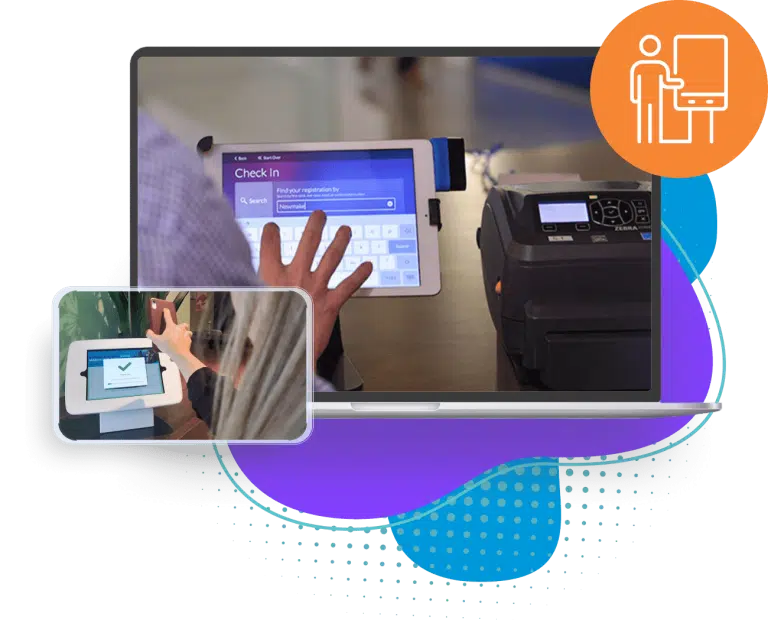
Self-service kiosks let people scan their code or enter details and print their own badge, which Eventdex's kiosk page says reduces the staff needed at the desk.
Event check-in kioskPrint badges only when someone arrives
On-demand printing avoids sorting pre-printed badges by name, and suits late changes. Pre-printed badges can be faster for a large, stable list.
Event badge printing guideKeep scanning working offline
Eventdex's check-in page describes offline scanning that syncs back once the connection returns, which protects the line from a weak signal.
Onsite check-in and badge printing
Plan staffing from your own numbers
There is no single right ratio. Work it out for your event with this method.
Estimate the arrival curve
Use past events or the registration count and guess what share arrives in the busiest half hour.
Time one check-in
Test a scan, a badge print and a walk-up at a rehearsal, because each takes a different time.
Divide demand by capacity
Peak arrivals per minute divided by people one station can handle per minute gives the stations you need.
Add a floater
Keep one or two people unassigned to open a lane, fix a jam or guide the line.
Spread arrivals and mark the way
Congestion often comes from everyone arriving at once and not knowing where to go.
Stagger arrival windows
Invite groups, ticket types or sessions to arrive in time slots and open check-in early.
Use clear signage
Put lane names at eye level well before the desk so people choose a lane before they reach it.
Give the queue room
Plan where the line forms and keep it away from exits and walkways.
Crowd management at eventsOffer something to do
Short waits feel shorter when people have a program, signs or staff to talk to.
Queue-time checklist and what to do when the line backs up
Check these before doors open, then use the responses if the line grows anyway.
Before doors
QR codes sent, lanes signed, devices charged, printers loaded, list cleaned and a floater named.
Open another lane
Move the floater to the longest queue and split it by surname or ticket type.
Pull walk-ups aside
Send unregistered guests to a kiosk or separate desk so scanned guests keep moving.
Stop printing if needed
Admit people by scan first and hand out badges later if the printer is the bottleneck.
The Eventdex platform
Tools for faster check-in
- Attendee check-in appQR and barcode check-in on phones and tablets.Learn more about Attendee check-in app
- Event check-in kioskSelf-service check-in with badges printed on the spot.Learn more about Event check-in kiosk
- Onsite check-in and badge printingCheck-in and on-demand badges at the door.Learn more about Onsite check-in and badge printing
- Event check-in softwareHow the check-in tools fit together.Learn more about Event check-in software
“We really appreciated the adaptability of the software to meet our changing needs. For example, we liked being able to create promo codes to offer reduced rates to conference attendees with special circumstances.”
 University at Buffalo
 Eversource Energy
 Georgia Tech
 Influence Communications
FAQ
How to Reduce Event Check-In Queues: common questions
How do I improve entry speed at events?
Move work out of the line. Collect details and send QR codes ahead of time, use separate lanes for pre-registered guests and walk-ups, scan instead of searching, and let attendees check themselves in at kiosks.
How do I automate event check-in?
Use a check-in app that scans a QR code or barcode against your registration list, and add self-service kiosks for attendees who prefer to check themselves in. Staff then handle exceptions only.
Why do you need an event check-in app?
An app replaces paper lists and manual searching with a scan, so each check-in is quicker and your attendance record updates as people arrive. Eventdex's pages do not describe a specific check-in speed.
How do I reduce queues at events?
Pre-register guests, separate the lanes, stagger arrival times, use signage and keep a floater to open a lane when the line grows. Rehearse the busiest half hour before the event.
How do I reduce crowd congestion at venues?
Plan where lines form, keep them away from exits, and spread arrivals with time slots. The crowd management guide covers wider flow around the venue.
See how Eventdex speeds up event check-in
Start with a free interactive floor plan, or talk to an event specialist on +1 (866) 434-5088.