



Contactless Event Registration
What is contactless event registration?
Contactless event registration means attendees sign up online, carry a QR code on their phone and check themselves in, without shared pens, paper lists or a staff member touching their device. It is faster at the door and removes the paper from the process.
The steps below show how to set it up and what to prepare for people who turn up without a code.
Updated by the Eventdex team



4.7/5 from 39 reviews on each
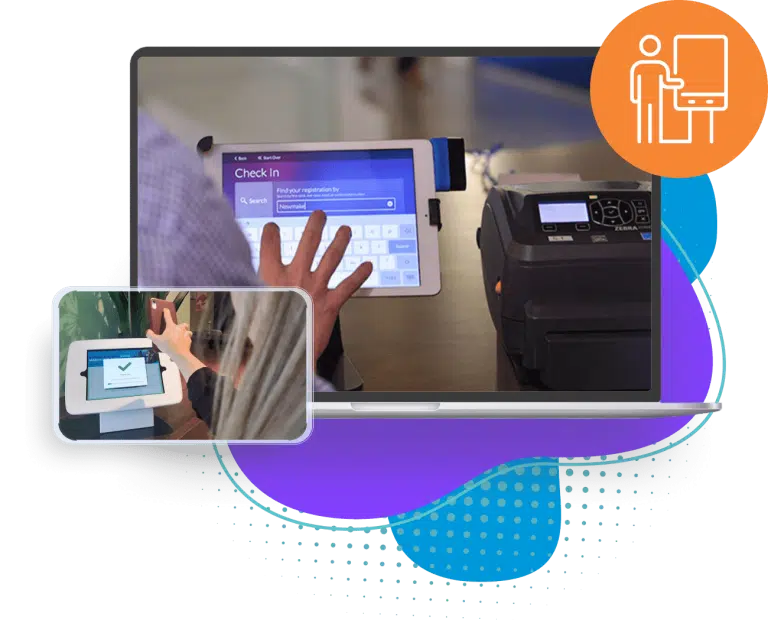
The parts of a contactless flow
Each step replaces something shared or paper-based.
Online registration
Attendees register in advance on a registration page, so nobody fills in a form at the door.
Event registration softwareQR code on the phone
The confirmation includes a QR code that the attendee shows or scans.
Self check-in
Attendees scan their own code at a kiosk and their badge prints on the spot.
Event check-in kiosk
How to set it up, step by step
Allow time to test each step before the event.
Open online registration early
The more people register in advance, the fewer need help at the door.
Send the QR code in the confirmation
Remind attendees by email before the event to keep the code on their phone.
Place self check-in points
Put kiosks or scanning stations where people enter, with signs that say what to do.
Choose your hardware
Eventdex's pages say iPads, tablets, printers and kiosks are available to rent.
Event hardware rentalTest the full path
Register, receive the code, scan it and print a badge, on the device you will use.
Event check-in guide
What to prepare for people without a code
Some attendees will forget the code or have a flat battery. Plan a short, quiet route for them.
| Situation | What to do | Who handles it |
|---|---|---|
| Cannot find the confirmation | Look the person up by name or email | A staffed check-in device |
| Phone battery is flat | Look the person up by name | A staffed check-in device |
| Registered but never received a code | Check the email address and resend it | A staff member |
| Walk-in without a registration | Register and pay onsite | A kiosk or a staffed device |
| Needs help or has an access need | Provide a staffed lane | A staff member |
Tips for a smooth day
Small choices make a visible difference to queue time.
Keep a staffed lane
Contactless should reduce staff work, not remove people who can help.
Explain what to do on signs
Show the steps in a few words and a picture.
Check connectivity
Eventdex's check-in app page describes offline syncing; confirm how it works for your setup in a demo.
Attendee check-in appReview the queue
Note how long the line was and adjust the number of stations next time.
The Eventdex platform
Tools for contactless check-in
- Event check-in kioskAttendees scan a QR code, print their own badge and walk in.Learn more about Event check-in kiosk
- Attendee check-in appQR and barcode check-in on phones and tablets.Learn more about Attendee check-in app
- Contactless tap to payTake payment from walk-ins at the event.Learn more about Contactless tap to pay
“It's easy to use and interfaces very well with our needs. The scheduling function is awesome. It allows our companies and partners to schedule their meetings with no assistance thus reducing time and resources. In addition, if there are any snags in scheduling, the Eventdex staff takes care of your needs immediately.”
 University at Buffalo
 Eversource Energy
 Georgia Tech
 Influence Communications
FAQ
Contactless Event Registration: common questions
What is contactless event check-in?
It is check-in without shared pens, paper lists or handling of other people's devices. The attendee scans a QR code from their phone at a kiosk or scanning station.
What technology do I need for contactless registration?
Online registration that sends a QR code, a way to scan it and, if you want badges on the day, a printer. Eventdex's pages describe QR check-in, kiosks and badge printing.
What if someone arrives without a QR code?
Have a staffed device where you can look them up by name or email, and a way to register walk-ins onsite.
Can badges still be printed with contactless check-in?
Yes. Eventdex's kiosk page says attendees scan their QR code and their badge prints on the spot.
See Eventdex self check-in in action
Start with a free interactive floor plan, or talk to an event specialist on +1 (866) 434-5088.