


Event App Features
What features should an event app have?
Event app features are the functions an event app gives attendees and organizers. A good event app has, at minimum, an agenda attendees can personalize, push notifications, a way to see who else is attending and a way to give feedback. Networking, maps, badge scanning and polls come next, depending on your event.
This guide sorts features into must-haves and nice-to-haves, tells you what each is for and gives a short test for judging an app before you buy. For the wider decision, see the conference app guide. For a branded app, see branded event app.
Updated by the Eventdex team


4.7/5 from 39 reviews on each
Must-have and nice-to-have features
This split is a guide, not a rule. A trade show may treat scanning as a must-have; a small internal meeting may need only the agenda.
| Feature | What it is for | Must-have or nice-to-have |
|---|---|---|
| Agenda | Lets attendees see sessions and build their own schedule | Must-have |
| Push notifications | Reaches attendees with changes and reminders | Must-have |
| Speaker and exhibitor profiles | Helps people decide where to go and whom to meet | Must-have |
| Attendee list and messaging | Lets attendees find and contact each other | Must-have for networking events, otherwise nice-to-have |
| Surveys and feedback | Collects opinions during and after sessions | Must-have |
| Maps and wayfinding | Helps people find rooms and booths | Must-have at large or multi-room venues |
| Badge or ticket scanning | Checks people in and records attendance | Must-have if the app is used for entry |
| Live polls and Q&A | Brings the audience into sessions | Nice-to-have |
| Gamification | Rewards activity with points and a leaderboard | Nice-to-have |
| Branding | Gives the app your look and feel | Nice-to-have, though many organizers want it |
| Sponsor placements | Gives sponsors banners or listings | Nice-to-have, a revenue option |
| Social media links | Lets attendees share and connect | Nice-to-have |
What each core feature should do
Having a feature is not the same as having a good one. Check the detail.
Agenda
Attendees should be able to save sessions to a personal schedule, and you should be able to change the agenda and have the change show for everyone.
Agenda builderNotifications
You should be able to send to all attendees or to a group, so a room change reaches only the people it affects.
Networking
Look for profiles, direct messages and a way to arrange meetings, not just a list of names.
Event networking appsMaps
A usable map shows rooms and booths and is kept in step with changes to the floor plan.
Event floor plan softwareScanning
Scanning should work when the venue connection is poor and sync once it returns.
Badge scanner appSurveys
Short surveys tied to a session, with results you can read while the event is still running.
Event survey questions
How to judge an event app before you buy
Demos show the best case. These checks show how the app will behave at your event.
Write your must-haves first
List the features your event needs from the table, then judge each app against your list, not against its own feature page.
Ask how attendees get the app
Find out whether they must download it, how they log in and what happens for people who will not install anything.
Test it on a phone, in a hurry
Find a session, save it and send yourself a notification. If that takes more than a minute, attendees will not bother.
Check the organizer side
Ask who updates the agenda, how fast a change appears and what reports you get afterwards.
Ask what it connects to
Check whether registration data flows in, so attendees do not sign up twice.
Get the cost in writing
Ask what is included, what is extra and whether pricing depends on event size.
What Eventdex's event app pages describe
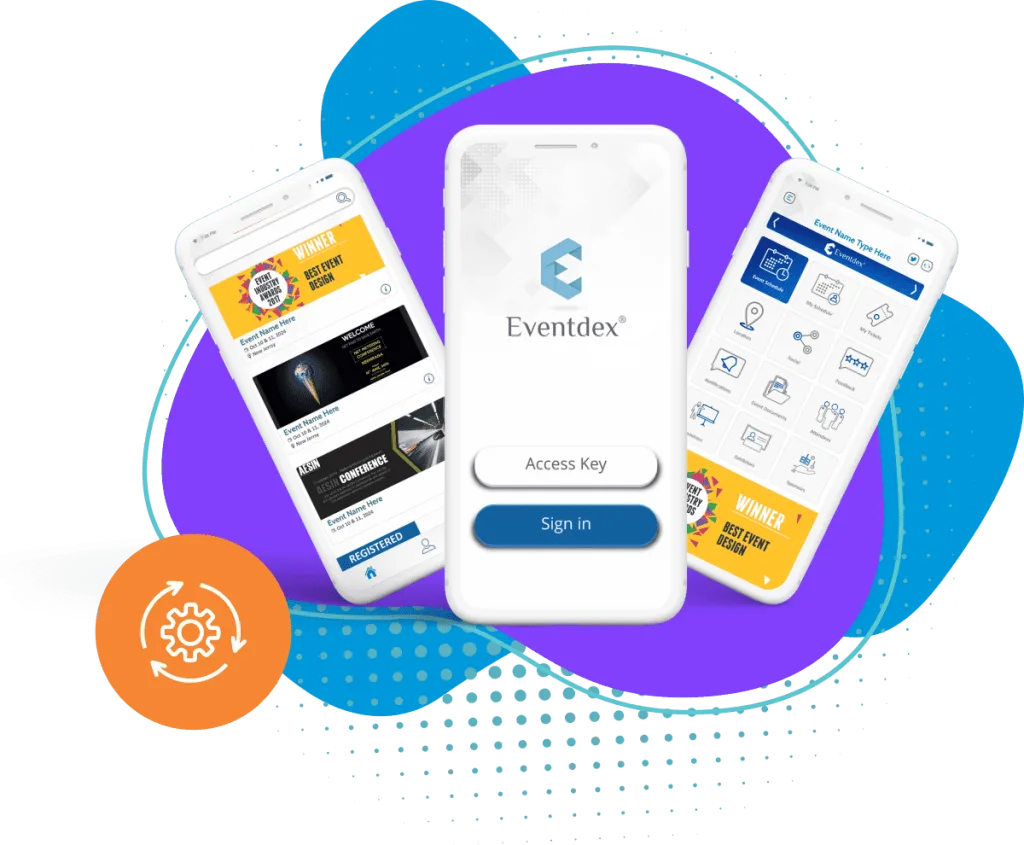
Eventdex's mobile event app page describes a branded app with a program agenda attendees can personalize, push notifications, one-to-one messages and group discussions, an activity feed, social media links, live polling, feedback collection, analytics and sponsor opportunities such as banner ads and sponsored push notifications.
Other Eventdex pages describe a Q&A widget and surveys inside the app, badge and QR code scanning with offline support, gamification with a leaderboard, and interactive venue maps with wayfinding in the event app pricing page. Eventdex's pages do not publish prices, so ask for a quote.
The Eventdex platform
App features on Eventdex's pages
- Mobile event appAgenda, push notifications, networking, polls and analytics.Learn more about Mobile event app
- Event survey softwareSurveys built into the event app.Learn more about Event survey software
- Badge scanner appQR and barcode scanning with offline support.Learn more about Badge scanner app
- Event app pricingHow Eventdex presents plans for its app.Learn more about Event app pricing
“It's easy to use and interfaces very well with our needs. The scheduling function is awesome. It allows our companies and partners to schedule their meetings with no assistance thus reducing time and resources. In addition, if there are any snags in scheduling, the Eventdex staff takes care of your needs immediately.”
 University at Buffalo
 Eversource Energy
 Georgia Tech
 Influence Communications
FAQ
Event App Features: common questions
What features should an event app have?
At minimum, a personal agenda, push notifications, speaker and attendee information and a way to give feedback. Add networking, maps, scanning and polls where your event needs them.
Which event app features do attendees use most?
Eventdex's pages publish no usage figures, and general figures vary by event. Check your own app's reports after each event to see which features your attendees opened.
Does an event app need to be branded?
Not to work, but a branded app gives a consistent look and can carry sponsor placements. Eventdex's pages describe branding beyond logo and colors, including graphics, fonts, icons and banners.
Do attendees have to download an app?
Often yes, which is why you should ask any vendor how guests get and log in to the app, and plan for people who will not install it, for example with printed or web-based details.
Does the Eventdex app have maps and scanning?
Eventdex's event app pricing page lists interactive venue maps and wayfinding, and its badge scanner page describes QR and barcode scanning with offline support. Eventdex's pages do not say which of these come with each app plan, so confirm in a demo.
See the Eventdex event app in a demo
Start with a free interactive floor plan, or talk to an event specialist on +1 (866) 434-5088.