

Branded Event App
What is a branded event app, and what should you brand?
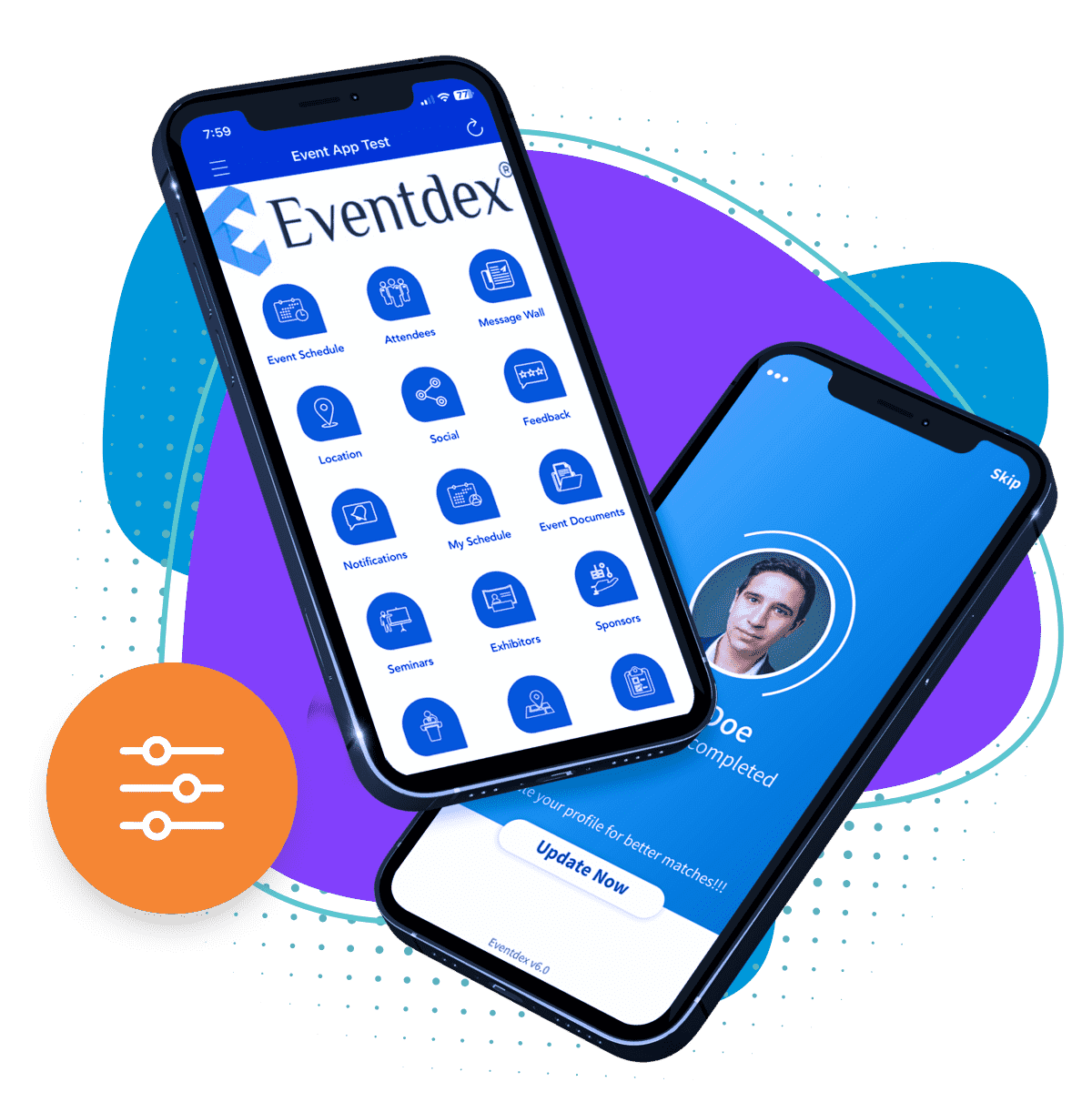
A branded event app is a mobile app that looks and reads like your event, not like the software vendor's product. Attendees see your event name, logo, colors and imagery from the first screen, and the agenda, speakers and notifications sit inside it.
This guide explains the difference between a branded and a generic app, lists what you can usually brand, shows a brand asset checklist and gives you questions to ask when choosing an app for a conference or convention. For the wider topic, see the conference app guide.
Updated by the Eventdex team


4.7/5 from 39 reviews on each
What a branded event app is
There are three common ways an app can carry your brand. They differ in how much the attendee sees of the vendor and how much of your event.
The terms vary between vendors, so ask each one exactly what is changed and what is not.
| Level | What attendees see | Typical use |
|---|---|---|
| Generic app | The vendor's name and look, with your event listed inside | Small or one-off events |
| Themed app | Your logo and colors inside the vendor's shared app | Events that want a quick, light look |
| White-label app | Your event name, logo and design as the app attendees use | Conferences, conventions and annual events with a brand to protect |
Why branding matters
Attendees already juggle emails, social posts and sponsor messages. An app that clearly belongs to your event is easier to trust and recognize, which helps people find it, open it and keep it.
It also gives sponsors and partners a place that feels like part of your event rather than an advert on someone else's product.
What you can brand
Eventdex's mobile app page says its app supports brand customization that goes beyond a logo and colors: branded graphics, fonts, icons and banners, so attendees get a consistent brand experience. The table shows the elements to plan for.
| Element | What to prepare | Note |
|---|---|---|
| App name | The name attendees will see and search for | Keep it short enough to read under the app icon |
| Logo and icon | Logo files with a transparent background, plus a square version | Check each vendor's size requirements |
| Colors | Primary and secondary colors, with the exact values | Check text stays readable on each color |
| Fonts | The typeface used in your event materials | Use a licensed font |
| Graphics and banners | Header images, session artwork and banner images | Use the same visuals as your website and badges |
| Sponsor placement | Banner and listing areas for sponsors | Agree rules for placement in advance |
Branding and sponsors
Eventdex's pages say sponsors can buy banner ads, premium listings or sponsored push notifications in the app, and that this is a way for organizers to monetize it. Decide up front how sponsor branding sits next to yours, so the app still reads as your event.
Write down how many sponsor placements each tier gets, where they appear and how often a sponsored notification can be sent. The event sponsorship packages guide shows how to tier them.
Checklist for choosing a branded event app
Use these questions in every demo. The right-hand column shows what Eventdex's own pages say, so you know where to ask for more.
| Question | What Eventdex's pages say |
|---|---|
| Is it white-label, with our name and logo? | Yes. The app page says it offers a white-label app with your event's name, logo and colors. |
| How far does branding go? | Graphics, fonts, icons and banners are named, beyond logo and colors. |
| Does it work on iPhone and Android? | Yes. Attendees download it from the Apple App Store or Google Play. |
| Do attendees have to download it? | The pages do not describe a browser-only version, so plan for a download. |
| What can attendees do in it? | Agenda, speaker bios, push notifications, networking, polls, Q&A, surveys, trivia and leaderboards. |
| Can sponsors buy space? | Yes. Banner ads, premium listings and sponsored push notifications. |
| What do we learn afterwards? | The page mentions real-time engagement data and analytics but lists no specific metrics. Ask which reports you get. |
| Does it work offline, and what does it cost? | The pages do not state this. See the event app pricing page and ask in a demo. |
A simple timeline
Do not leave branding to the last week. These steps are a sensible order for most conferences. Time frames depend on the vendor, so confirm them.
Collect your brand assets
Gather logos, colors, fonts and banners in one folder, with the usage rules.
Agree what is branded
Confirm with the vendor which elements are customizable and which stay fixed.
Review a preview
Check the app on a real iPhone and a real Android phone before attendees see it.
Load the content
Add the agenda, speakers, exhibitors and sponsor placements.
Tell attendees how to get it
Put the app name and download steps in registration confirmations and signage.
The Eventdex platform
A white-label app for your event
- Event mobile appWhite-label iOS and Android app with agenda, speakers, notifications, polls and Q&A.Learn more about Event mobile app
- Event app pricingSee how Eventdex presents app pricing.Learn more about Event app pricing
- Conference managementRegistration, app and check-in in one platform.Learn more about Conference management
- Event engagement platformPolls, Q&A, trivia and networking for attendees.Learn more about Event engagement platform
“We really appreciated the adaptability of the software to meet our changing needs. For example, we liked being able to create promo codes to offer reduced rates to conference attendees with special circumstances.”
 University at Buffalo
 Eversource Energy
 Georgia Tech
 Influence Communications
FAQ
Branded Event App: common questions
What is a branded event app?
It is an event app that carries your event's name, logo, colors and design rather than the vendor's. Attendees see your brand while they use the agenda, speaker list and notifications.
Is a branded app the same as a white-label app?
Usually a white-label app is the most complete form of branding, where the app is presented as yours. Some vendors call a logo and color theme branding too, so ask exactly what changes.
Does Eventdex offer a branded event app?
Yes. Eventdex's mobile app page describes a white-label app with your event's name, logo and colors, and branded graphics, fonts, icons and banners. It runs on iOS and Android.
Do conventions and conferences need their own app?
Not always, but an app helps when there are many sessions, rooms and exhibitors. It replaces printed schedules and lets you send changes to attendees through push notifications.
Will attendees have to download the app?
Eventdex attendees download it from the Apple App Store or Google Play. The pages do not describe a browser-only version, so plan to tell attendees how to install it.
How much does a branded event app cost?
The mobile app page does not state a price. Eventdex has an event app pricing page, and a demo is the place to ask what branding includes.
See your event in a branded app
Start with a free interactive floor plan, or talk to an event specialist on +1 (866) 434-5088.