



How to add a disclaimer while printing the badge?
By support
Event Admin (exhibitors) can put Disclaimers in the App (Ticket purchased for) for their product/service easily, just follow the given steps:
Step 1. Eventdex >> Login >> Select the Event >> Event App >> App Settings >> Disclaimers
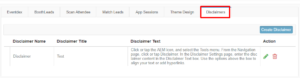
Step 2. Click on “Create Disclaimer” and the screen appears.
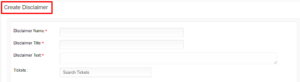
Step 3. Enter all required details in:
Disclaimer Name: Name of the Disclaimer
Disclaimer Title: Title of the Disclaimer
Disclaimer Text: Text giving details about the
Disclaimer Tickets: Select the ticket name (user name) from the accordion
Step 4.Click on “Save” to confirm the entry and click on “Cancel” to exit the page.
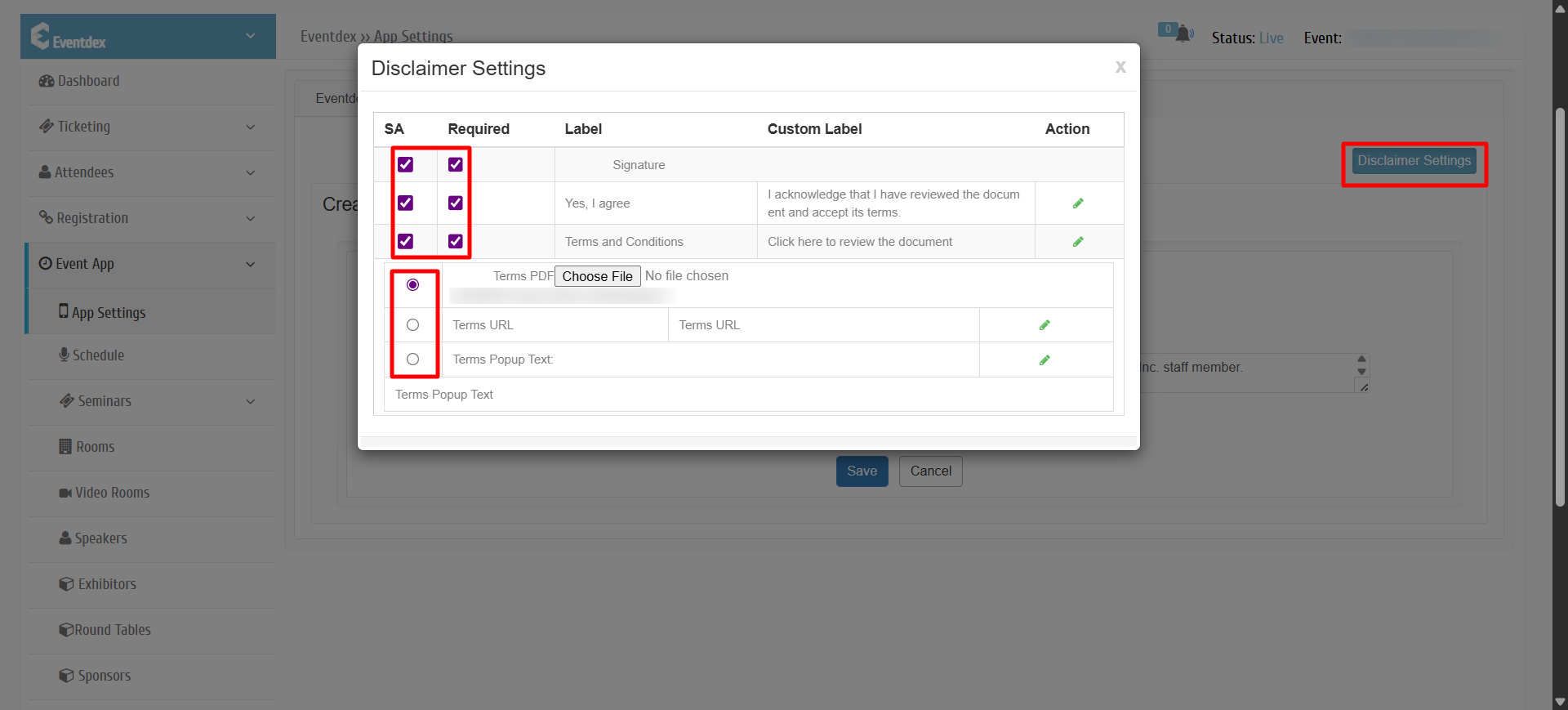
Step 5. To Edit the Disclaimer, just click on the “Edit” icon given in the “Action” column, and click on “Disclaimer Settings“.
You can select the disclaimer’s signature options and you can select to display Terms and Conditions as PDF, URL and popup text.
After making the changes, click on “Save“.