



Hybrid Event Technology
What technology does a hybrid event need?
A hybrid event serves two audiences at once: people in the room and people online. Each needs its own way in. Technology is what lets both groups take part in one program.
In short, hybrid events combine an in-person event with an online one. If you are new to the idea, start with the guide on what a hybrid event is. This guide covers the tech layers, formats, a checklist and the questions to ask vendors.
Updated by the Eventdex team



4.7/5 from 39 reviews on each
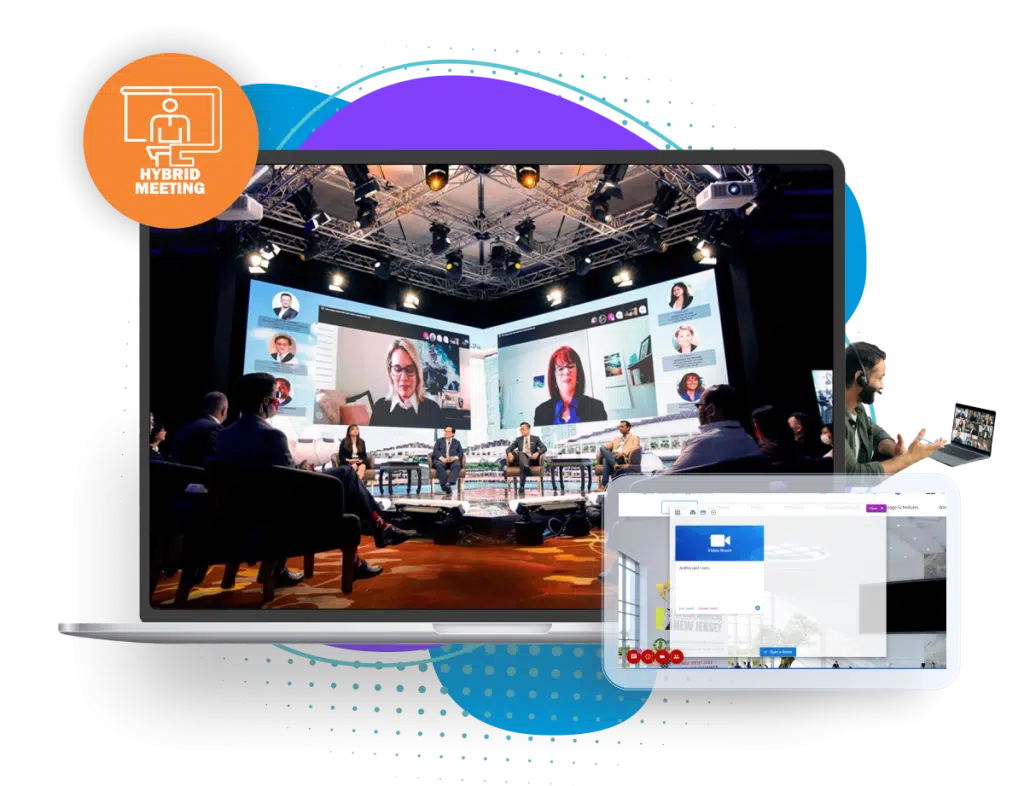
Hybrid event formats in brief
The format decides how much technology you need. Three common ones:
Streamed event
The event happens in person, and remote attendees watch live and send questions. This needs the least technology.
Two-way hybrid
Remote attendees take part fully: they ask, vote, meet others and visit booths. This needs the most.
Linked hubs
Several rooms or cities connect to one program. This needs reliable streaming between sites.
The technology layers
Think in layers. Each one needs to work for both audiences. Eventdex's hybrid event platform page covers all of these.
Registration and ticketing
One sign-up for both audiences, with ticket types for in person and online. Eventdex's pages describe registration and ticketing for both.
Event registration softwareLive streaming and recordings
Broadcast sessions to remote attendees and keep recordings for replay. Eventdex's pages name integrations with Zoom, StreamYard, Restream and MUX.
Event app
A mobile app with agenda, chat and notifications. Eventdex's pages describe an event app and push notifications for both audiences.
Networking
Matched meetings, speed networking, lounges and breakout rooms that mix both groups. Eventdex's pages describe AI matchmaking and meetings in person or by video.
Onsite check-in
QR check-in, kiosks and badge printing for those in the room. Eventdex's pages describe each of these.
Onsite check-in and badge printingEngagement tools
Polls, Q&A and gamification that both audiences can use at once.
Analytics
One report across both audiences. Eventdex's hybrid services page describes a shared attendee record and reporting.
Hybrid event services
Hybrid event technology checklist
Use this list as you plan. Tick each item or note who owns it.
Hybrid event technology checklist
REGISTRATION
[ ] Ticket types for in person and online
[ ] One attendee record for both groups
[ ] Confirmation emails say how to join

STREAMING AND AV
[ ] Stream tested from the room, with backup connection
[ ] Microphones and cameras for each speaker
[ ] Remote speakers tested with the room
[ ] Recordings captured and stored

APP AND ENGAGEMENT
[ ] Agenda shows which sessions are online, onsite or both
[ ] Polls and Q&A open to both audiences
[ ] A moderator for the online chat

NETWORKING
[ ] Meetings that work in person and by video
[ ] A way for remote guests to meet onsite guests

CHECK-IN
[ ] Badge printing and scanners tested
[ ] Online attendee access codes ready

ANALYTICS
[ ] Same measures for both audiences
[ ] Survey sent to both groups

SUPPORT
[ ] Help desk for online guests
[ ] Run of show covers both audiences
Questions to ask vendors
Ask these before you sign. Get answers in writing.
Do both audiences share one registration and one record?
Separate systems make reports harder and give two sets of data.
What do online attendees get that onsite attendees get?
Ask for a demo from a remote attendee's point of view, not just the room's.
Which streaming tools does it connect to?
Check that your preferred tool is supported before you commit.
What setup help and training is included?
Eventdex's hybrid services page describes full setup and on-demand training. Its pages do not list production services such as cameras and crews.
How do you handle a stream failure?
Ask about backups and who you contact during the event.
Can I see the reports?
Ask which measures it gives for online and onsite attendees.
Related guides
These guides go deeper on parts of hybrid planning.
The Eventdex platform
Hybrid event tools
- Hybrid event platformIn-person and virtual sessions in one program.Learn more about Hybrid event platform
- Hybrid event servicesSoftware with setup help for both audiences.Learn more about Hybrid event services
- Onsite check-inCheck-in and badge printing for the room.Learn more about Onsite check-in
- Business matchmakingMatched meetings in person or by video.Learn more about Business matchmaking
“We really appreciated the adaptability of the software to meet our changing needs. For example, we liked being able to create promo codes to offer reduced rates to conference attendees with special circumstances.”
 University at Buffalo
 Eversource Energy
 Georgia Tech
 Influence Communications
FAQ
Hybrid Event Technology: common questions
What are hybrid events?
Hybrid events combine an in-person event with an online one, so some attendees are in the room and others join remotely. The guide on what a hybrid event is covers the basics.
What technology do you need for a hybrid event?
At minimum: registration for both audiences, live streaming, an app or page for the agenda, tools for polls and Q&A, check-in for the room and reports. Networking tools help remote guests meet others.
What are the main hybrid event formats?
A streamed event with remote viewers, a two-way hybrid where remote guests fully take part, and linked hubs in several places. Each needs more technology than the last.
What should I ask a hybrid event vendor?
Ask whether registration and records are shared, what remote attendees get, which streaming tools connect, what setup help is included, how stream failures are handled and which reports you receive.
What does Eventdex provide for hybrid events?
Eventdex's pages describe registration, sessions split by online or onsite, live streaming and recordings, matchmaking, digital booths, an event app, check-in and shared reports. Its pages do not list production crews or cameras.
Plan your hybrid event with Eventdex
Start with a free interactive floor plan, or talk to an event specialist on +1 (866) 434-5088.