



What Is a Hybrid Event?
What is a hybrid event?
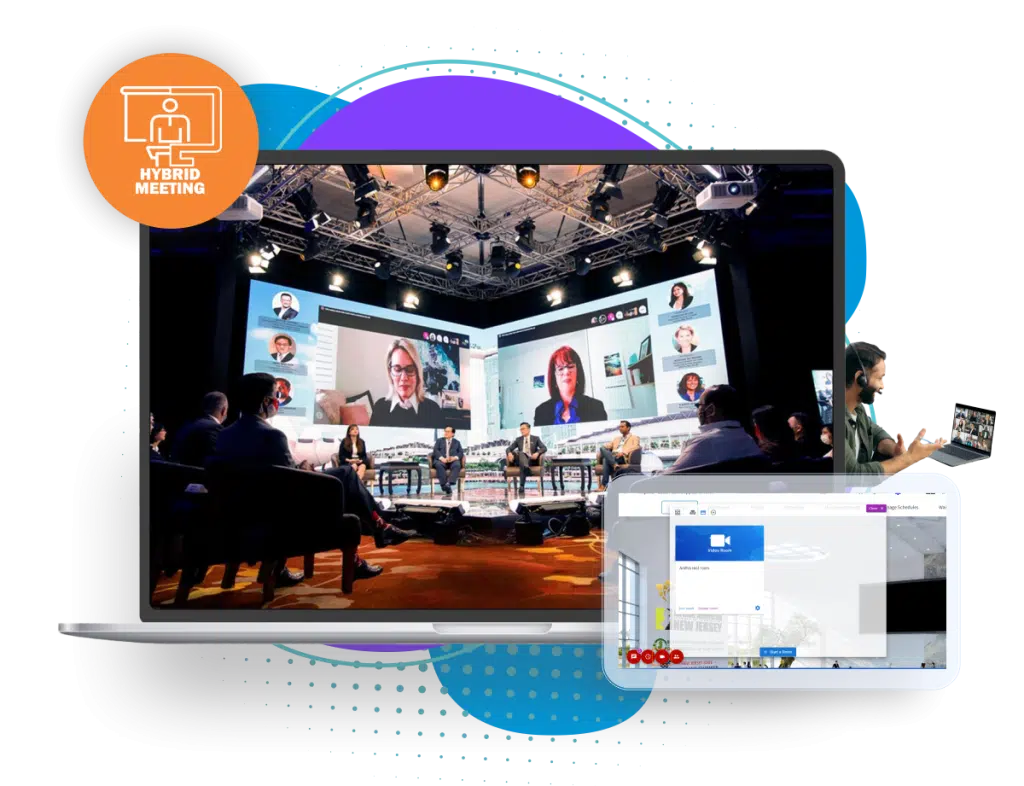
A hybrid event is an event with two audiences at once: people in the room and people taking part online, following the same program. A conference that streams its sessions, takes questions from remote attendees and lets them meet exhibitors and other delegates online is a hybrid event. A conference that simply posts a video of the keynote afterwards is not.
Hybrid events let an organizer reach people who cannot travel while keeping the value of meeting in person. They also take more planning than either format alone, because the online audience needs its own host, its own way to ask questions and its own way to network. This guide covers what makes an event hybrid, the common models, and how to plan one.
Updated by the Eventdex team



4.7/5 from 39 reviews on each
What makes an event hybrid
Four things separate a hybrid event from an in-person event with a camera in the room:
One program, two audiences
Remote and onsite attendees follow the same agenda, live or close to it, rather than a separate online event.
Interaction both ways
Remote attendees can ask questions, answer polls and be heard in the room, not just watch.
Networking across the divide
Online attendees can message, meet and book video calls with people onsite, including exhibitors and sponsors.
One attendee record
Registration, attendance and engagement for both audiences are kept together, so reporting covers the whole event.
In-person vs. virtual vs. hybrid events
Each format suits different goals. Hybrid combines the reach of virtual with the depth of in person, at the cost of running two experiences:
| Factor | In person | Virtual | Hybrid |
|---|---|---|---|
| Reach | Limited to who can travel | Anyone with a connection | Both |
| Networking | Strongest, face to face | Needs matchmaking and video meetings | Both, if the online side is designed for it |
| Main costs | Venue, catering, travel | Platform and production | Venue, catering, platform and production |
| Sponsors and exhibitors | Booths and onsite visibility | Virtual booths and digital placements | Both, with leads from each audience |
| Content afterwards | Often none | Recordings by default | Recordings by default |
| Hardest part | Logistics | Keeping attention | Treating remote attendees as equals |
Hybrid event models and examples
Hybrid is a range, not a single format. Common models:
Streamed main stage
Keynotes and plenary sessions are streamed with live Q&A; breakouts stay in the room. A common first step into hybrid.
Full hybrid program
Every session is available online, with a virtual host, remote speakers and online networking. Example: a medical society's annual meeting with remote delegates.
Hub and spoke
A main venue plus smaller regional gatherings that watch together and join the discussion. Example: a company kickoff with regional offices.
Hybrid trade show
Exhibitors staff a physical booth and a digital booth, and remote visitors chat or video call booth staff.
Hybrid matchmaking
One-to-one business meetings held in person or by video, scheduled on one calendar. Example: a procurement fair with remote buyers.
Live plus on demand
Sessions are live for the room and recorded for remote attendees and no-shows to watch later.
How to plan a hybrid event
Plan the online experience as carefully as the room, from the start rather than after the venue is booked.
Decide why it is hybrid
Reach, accessibility, sponsor value, cost or recordings. The goal decides how much of the program goes online.
Choose what goes online
All sessions, the main stage only, or selected tracks. Tell attendees clearly what each ticket includes.
Set a ticket strategy
Separate in-person and virtual tickets, priced for what each includes, with sessions marked as onsite, online or both.
Plan production
Cameras, microphones for speakers and audience questions, a stream for each room you broadcast, and a technician who watches the online side.
Give remote attendees a host
A virtual host or moderator who welcomes them, fills breaks and makes sure their questions reach the stage.
Design networking for both
Matchmaking, scheduled video meetings, chat and virtual booths, so remote attendees meet people too.
Give sponsors both audiences
Visibility in the room, in the app and online, and leads from in-person and remote attendees.
Rehearse and record
Test every stream end to end, then publish recordings for remote attendees and no-shows.
Hybrid session roles you can copy
Most hybrid sessions go wrong at the hand-off between the room and the stream. Agree who does what before each session:
Hybrid session roles and checklist
HYBRID SESSION: [Session title], [Room], [Time]

ROLES
Room host: opens the session, introduces speakers, keeps time.
Virtual host: welcomes online attendees, posts links, fills breaks, speaks for the online audience.
Q&A moderator: merges questions from the room and online, alternates between them, flags the top questions to the room host.
AV technician: cameras, microphones, slides and the stream; watches the online view on a separate screen.
Remote speaker contact: tests and backstages remote speakers before they go live.

BEFORE THE SESSION
[ ] Stream tested end to end from an attendee device
[ ] Audience microphone ready for questions from the room
[ ] Remote speakers connected and tested 15 minutes before
[ ] Q&A and poll set up for the session
[ ] Recording started

DURING
[ ] Repeat every question from the room into a microphone
[ ] Take at least one online question in each Q&A round
[ ] Virtual host announces breaks and the next session

AFTER
[ ] Stop the recording and publish it
[ ] Export questions and poll results
[ ] Note any stream issues for the next session
How Eventdex runs hybrid events
Eventdex runs in-person and virtual sessions at the same time on one platform, so remote and onsite attendees take part in one program from one registration.
Registration for both audiences
Ticket types for in-person and virtual attendees, and sessions divided by whether registrants are online or onsite.
Hybrid event platformLive streaming and recordings
Stream sessions through the StreamYard, Restream, Zoom and Mux integrations, and upload recordings for people who missed them.
IntegrationsNetworking across formats
AI matchmaking schedules one-to-one meetings in person or by video, alongside chat and roundtables.
Business matchmakingQuestions and polls from everyone
One Q&A and polling tool for the room and the stream, with moderation.
Live Q&A widgetUpdates to both audiences
Push notifications sent to the virtual platform, the mobile app or both, now or scheduled for later.
Event mobile appOnsite check-in
QR check-in, badge printing and self-service kiosks for the people in the room.
Onsite event management
The Eventdex platform
One platform for the room and the stream
- Hybrid event platformIn-person and virtual sessions in one program.Learn more about Hybrid event platform
- Virtual sessions and boothsOnline sessions, roundtables and virtual exhibitor booths.Learn more about Virtual sessions and booths
- Hybrid matchmakingMeetings in person or by video on one schedule.Learn more about Hybrid matchmaking
- Onsite check-in and badgesQR check-in and on-demand badges for the room.Learn more about Onsite check-in and badges
- Event appAgenda, chat and notifications for both audiences.Learn more about Event app
“Eventdex helped me run a smooth registration process during my event and helped me deliver an excellent mobile application to my event's attendees. Their support team was brilliant and I really enjoyed incorporating the Eventdex solutions into my events.”
 University at Buffalo
 Eversource Energy
 Georgia Tech
 Influence Communications
FAQ
What Is a Hybrid Event?: common questions
What is an example of a hybrid event?
An annual conference where delegates attend in the venue while others join online, watching the same sessions live, asking questions, and booking video meetings with exhibitors and other attendees.
What is the difference between a hybrid and a virtual event?
A virtual event happens entirely online. A hybrid event has an in-person audience as well, and both audiences take part in the same program.
Why hold a hybrid event?
To reach people who cannot travel, make the event more accessible, give sponsors a larger audience and keep recordings of the content, while still offering face-to-face networking.
What do you need for a hybrid event?
A venue with reliable internet, cameras and microphones, a streaming setup, a platform that handles registration, sessions and networking for both audiences, and a virtual host for the online side.
How do you engage virtual attendees at a hybrid event?
Give them a dedicated host, take their questions in every Q&A, run polls they can answer, and give them ways to meet people, such as matchmaking, video meetings and virtual booths.
Is a hybrid event more expensive?
Usually more than a single format, because it pays for a venue as well as streaming and production. Virtual tickets and wider sponsor reach can offset part of the cost.
Run your next hybrid event on Eventdex
Start with a free interactive floor plan, or talk to an event specialist on +1 (866) 434-5088.