



Hybrid Event Ideas
What are good ideas for a hybrid event?
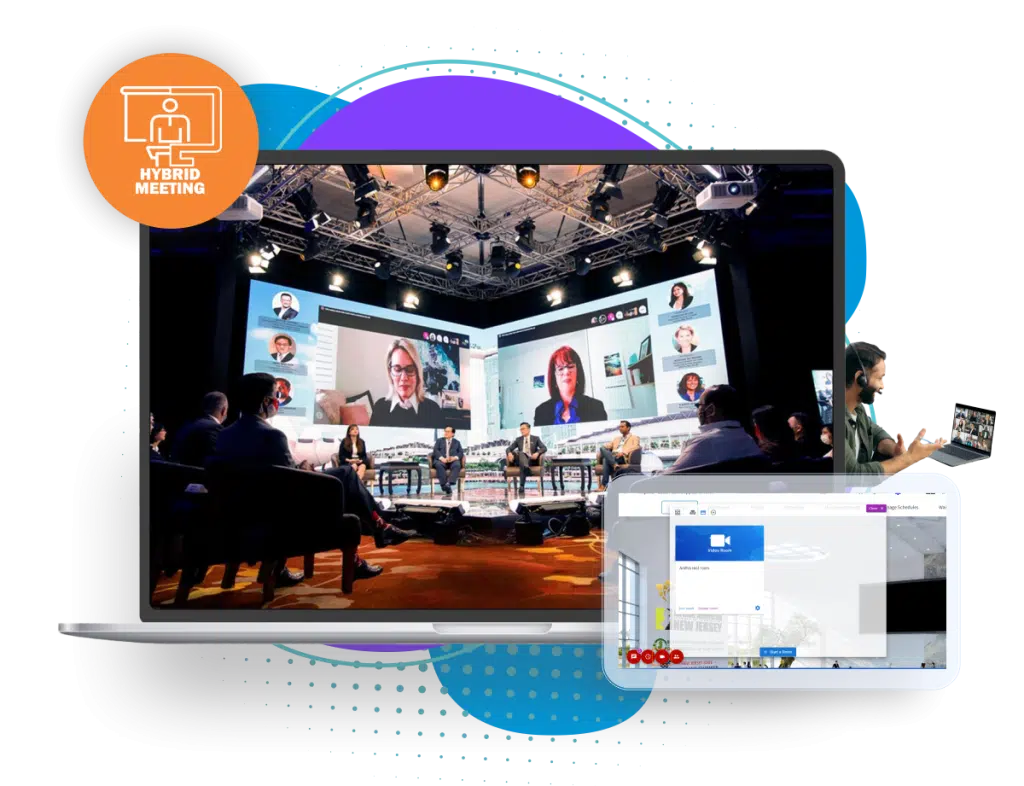
A hybrid event serves two audiences at the same time: people in the room and people watching or taking part online. The easy version is to point a camera at the stage and call it hybrid. The better version gives remote attendees something to do, not just something to watch, and gives the people in the room a reason to be there beyond what a stream can offer.
This guide collects concrete ideas by event type, ideas for engaging both audiences, the traps that most often spoil a hybrid event and a table that matches each idea to the format it suits. If you are still deciding whether a hybrid event is right for you, read what is a hybrid event first.
Updated by the Eventdex team



4.7/5 from 39 reviews on each
Three principles for good hybrid ideas
Ideas fail when they treat one audience as the real one and the other as an afterthought. These three principles keep both in view.
Design for the remote audience first
The in-room audience will find their way. Remote attendees need to be invited in deliberately: a host who speaks to them, questions taken from them and a way to be seen.
Give each audience something the other cannot have
In the room: the networking, the hands-on part, the food. Online: a front-row view, the chat, replays and the chance to join from anywhere. A reason to choose each way keeps both groups.
Connect the two groups on purpose
Mixed sessions work when there is a deliberate bridge: a shared poll, a question wall, a pairing for a conversation. Without one, the two crowds run in parallel.
Hybrid event ideas by event type
Start from the kind of event you run. These ideas show how the two audiences can share one program.
Conferences
Live-stream the keynotes and main sessions, run workshops in the room with a parallel online version, and hold a remote-friendly Q&A. Offer on-demand replays to everyone who registered.
Conference solutionTrade shows
Give exhibitors a booth on the floor and a digital booth, so remote visitors can chat with them and see their materials. Offer scheduled one-to-one meetings that work in person or by video.
What is a trade showCorporate meetings and all-hands
Keep the in-room group for the networking and recognition, and give remote staff a host, a live question wall and breakout groups with a facilitator.
Eventdex for corporate eventsAssociation and member events
Pair a live regional meeting with an online session so members who cannot travel can still ask questions and attend sessions.
Eventdex for associationsAcademic and scientific meetings
Run poster sessions in the room and online. Eventdex describes hybrid poster sessions for both audiences, and e-posters that attendees can like, comment on, vote on and download.
Eventdex for university eventsProduct launches and demos
Hold a live demo in the room, stream it with a moderator, and open a queue for remote questions. Follow with scheduled sessions for people who want a closer look.
Product launch event guide
Ideas that engage the room and the screen together
These tactics work in sessions where both audiences are present. Each one has a bridge between the two groups, which is what makes it hybrid rather than a stream.
One shared question wall
Collect questions from the room and from remote attendees in one list and let people upvote. Eventdex's Q&A widget connects on-site and virtual attendees in the same conversation, with moderators choosing what to show.
Live event Q&A widgetLive polls
Ask a question and show the combined result. Eventdex lists polling and Q&A across live and online audiences on one platform.
A hybrid host for remote attendees
One person whose job is to speak to the remote audience, read their questions, bring them into the discussion and tell the speaker what they are asking.
Trivia and a shared leaderboard
A quiz where in-room and online players score on the same leaderboard. Eventdex's gamification page describes trivia quizzes and real-time leaderboards.
Event gamificationMatched meetings across both audiences
Pair attendees by interest and let each pair meet in person or on video. Eventdex's hybrid page describes AI matchmaking with one-on-one meetings that are in person or by video.
Business matchmakingSpeed networking for remote attendees
Short, timed conversations that let remote guests meet several people quickly. Run a room version at the same time for onsite guests.
Virtual speed networkingPoster sessions for both audiences
Presenters show posters in the room and as e-posters online. Ask for comments and votes from both groups, and use a shared channel to bring them together.
Poster session guideDigital business cards and exhibitor content
Let attendees exchange digital cards, and let exhibitors share digital flyers and brochures with online visitors, so nobody has to carry paper. Eventdex's hybrid page describes both.
Session formats that suit a hybrid audience
Some formats carry over to a hybrid event easily, and some need rethinking. As a rule, keep sessions short, plan the camera and the audio first and give remote guests a role.
Keynote with a remote Q&A
The speaker presents in the room. The host brings in questions from both audiences in alternating order.
Keynote speaker guidePanel with a remote panelist
One or two panelists join online and appear on a screen, with the moderator treating them equally. Give the remote panelist a monitor and a person who watches them.
Panel discussion formatBreakout groups, mixed or separate
Either mix room and online guests in a facilitated group, or run parallel groups and bring the notes together. Eventdex describes networking lounges and breakout rooms that blend virtual and physical attendees.
Conference breakout sessionsSeparate sessions for each audience
Some content works better when it is built for the audience. Eventdex allows sessions to be created by whether registrants are online or onsite, which avoids confusion.
Repeat sessions
Offer a recording of a session so no-shows and remote guests in other time zones can rewatch it.
Match the idea to the format
Not every idea suits every event. Use this table to choose by what you need to achieve and what each audience must do.
| Idea | Best for | In the room | Online |
|---|---|---|---|
| Shared question wall | Keynotes, panels, town halls | Ask by phone or app | Ask in the platform; upvote |
| Live polls | Any session with a decision or a debate | Vote on a phone | Vote in the platform |
| Trivia and leaderboard | Breaks, openings and sponsor moments | Play on a phone | Play in the app or browser |
| Matched meetings | Trade shows, buyer-seller events, networking | Meet at a table or lounge | Meet on video |
| Speed networking | Associations, conferences, community events | Move between tables | Join timed video rounds |
| Poster sessions | Academic and scientific meetings | View posters and talk to presenters | View e-posters; comment and vote |
| Digital booths | Trade shows and sponsor-heavy events | Visit the stand | Chat or call from the booth page |
| Remote panelist | Panels and fireside chats | See the panelist on a screen | Join as a panelist |
| Replays | Multi-day conferences and training | Rewatch a missed session | Watch at a convenient time |
Pitfalls that spoil hybrid events
Most hybrid problems come from the same few mistakes. Check your plan against this list.
Treating the stream as the hybrid part
A camera at the back of the room gives remote guests a poor view and nothing to do. Plan for their participation, not just their viewing.
Poor audio
Remote attendees forgive weak video, not weak sound. Test microphones for speakers and for questions from the room.
No one speaking for the remote audience
Without a host, remote questions are missed. Assign the role and give the person a seat near the moderator.
Remote guests as second-class guests
If they cannot ask, vote or meet anyone, they will leave. Give them the same tools as the room.
Too many ideas
Pick three or four that serve your goal. Each extra activity adds work and another thing that can fail.
No rehearsal
Run through the hybrid parts, including the remote questions and the camera switch, before attendees arrive.
A hybrid event ideas planning sheet to copy
Pick ideas by filling this in. If you cannot say what each audience does, drop the idea.
Hybrid event ideas planning sheet
HYBRID EVENT IDEAS PLANNING SHEET
Event: [Name]   Date: [Date]   Venue: [Venue]   Online link: [URL]
Goal: [One sentence]   In-room audience: [Who, how many]   Remote audience: [Who, where]

IDEA 1: [Shared question wall]
In the room: [How they take part]   Online: [How they take part]
Bridge between the two: [Host reads both lists]   Owner: [Name]   Tested: [ ]

IDEA 2: [Live poll]
In the room: [Vote on phone]   Online: [Vote in the platform]
Bridge between the two: [Combined result on screen]   Owner: [Name]   Tested: [ ]

IDEA 3: [Matched meetings]
In the room: [Lounge or table]   Online: [Video call]
Bridge between the two: [One schedule for both]   Owner: [Name]   Tested: [ ]

REMOTE HOST
Name: [Name]   Seat: [Next to the moderator]   Role: [Reads remote questions, welcomes remote guests]

AUDIO AND CAMERA
Microphones for speakers: [Number]   Microphone for audience questions: [Yes / No]
Cameras: [Number and positions]   Remote panelist screen: [Yes / No]

REPLAYS
Recorded sessions: [List]   Available to: [Everyone registered / attendees only]   From: [Date]

REHEARSAL
Date: [Date]   Covers: [Remote questions, camera switch, polls, remote panelist]

REVIEW
What did remote guests do? [Notes]   What did the room do? [Notes]   Keep, change or drop: [Decision]
Hybrid events on Eventdex
The Eventdex hybrid event platform page describes what the platform covers. These are the ideas above that it supports directly.
Live streaming and replays
Stream in-person sessions to remote attendees and upload recordings so participants and no-shows can rewatch.
Hybrid event platformOnline and onsite sessions
Create sessions for online or onsite registrants, hybrid poster sessions, polling and Q&A across both audiences.
Hybrid event platformMatchmaking and networking
AI-powered matching, one-on-one meetings in person or on video, networking lounges and breakout rooms blending both audiences.
Business matchmaking appDigital booths and sponsors
Digital booths, lead retrieval and sponsorship opportunities such as virtual banners and sponsored sessions.
Hybrid event platform
The Eventdex platform
Run one program for the room and the screen
- Hybrid event platformLive streaming, sessions for each audience and networking.Learn more about Hybrid event platform
- Live event Q&A widgetOne question queue for on-site and virtual attendees.Learn more about Live event Q&A widget
- Business matchmakingAI-matched one-on-one meetings, online and onsite.Learn more about Business matchmaking
- Event gamificationTrivia quizzes and real-time leaderboards.Learn more about Event gamification
- Onsite check-in and badgesFast check-in for the in-person audience.Learn more about Onsite check-in and badges
“Very smooth... Liked selecting meetings and blocking off time. Amazing! Would use again! ... I met with the people I wanted to meet and appreciated the option to read the profiles and decline meetings if someone would not be a good fit.”
 University at Buffalo
 Eversource Energy
 Georgia Tech
 Influence Communications
FAQ
Hybrid Event Ideas: common questions
What is a hybrid event?
A hybrid event combines an in-person event with an online one, so some attendees are in the room and others take part remotely, in one shared program. The what is a hybrid event guide covers the format in more detail.
How do you keep remote attendees engaged at a hybrid event?
Give them roles beyond watching: ask questions, vote in polls, join matched meetings and take part in a leaderboard. A host who speaks to them and keeps their questions in the discussion matters more than any single feature.
Can a small event be hybrid?
Yes. A small hybrid event can be a room with a good camera, clear audio, a host for remote questions and a shared poll. Start with that and add more only if your goal needs it.
What is the biggest mistake at hybrid events?
Treating the stream as the hybrid part. Remote attendees need a way to take part, not only a view. Poor audio and no one speaking for the remote audience are the usual causes of a bad remote experience.
Should in-room and remote attendees have the same sessions?
Not always. Keynotes and panels usually work for both. Hands-on workshops and long networking sessions often need a separate version for each audience. Choose by what each group can actually do.
Plan your hybrid event with Eventdex
Start with a free interactive floor plan, or talk to an event specialist on +1 (866) 434-5088.