



Event Badge Design
How do you design an event badge people can actually read?
An event badge has one job in the first second: let a stranger read a name from a couple of arm's lengths away. Everything else on it, the logo, the QR code, the role color, the session ticket, is secondary. Most badge problems come from forgetting that order. The name ends up small, the logo ends up large, and the badge flips around on the lanyard so the back faces out.
This guide covers the decisions in the order they matter: hierarchy and layout, type sizes, QR code placement, role colors, size and orientation, lanyards and holders, printing, and accessibility. It ends with a layout checklist and a content template you can copy. Sizes are given as common practice, not as a standard, because every event and printer is different.
Updated by the Eventdex team



4.7/5 from 39 reviews on each
Start with hierarchy: name first
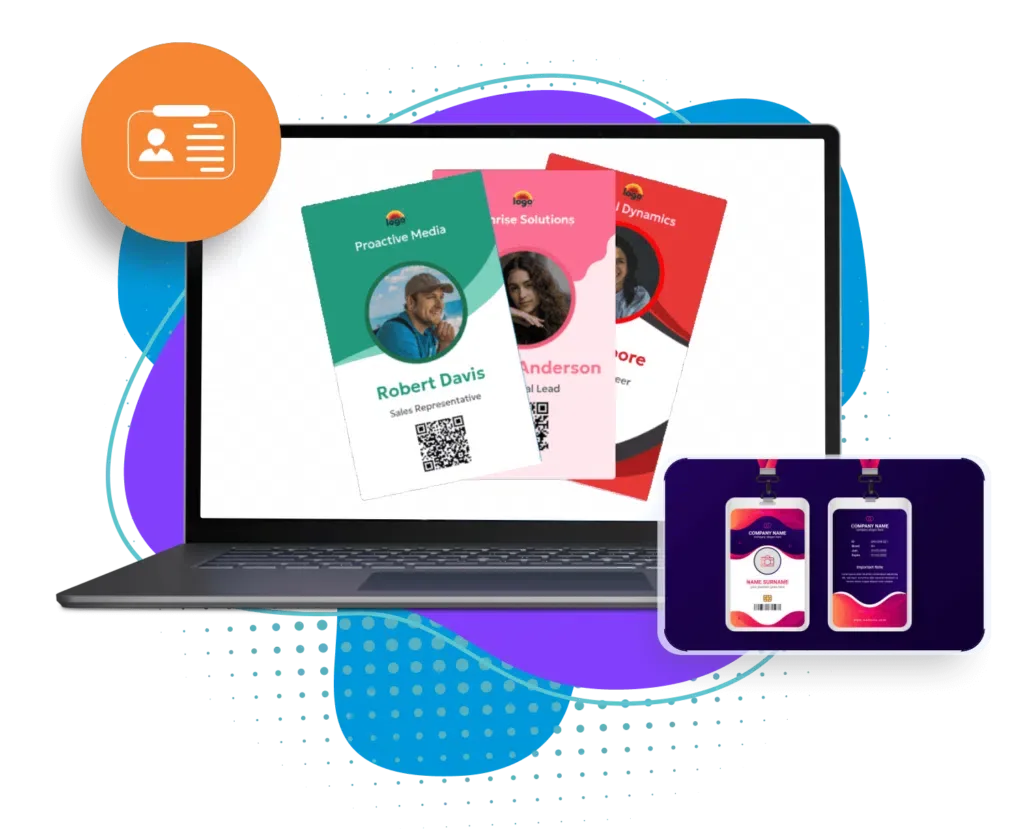
Decide what a person standing in front of the wearer needs to read, in order. For nearly every event that order is the first name, the last name, the organization, then the role or ticket type. Design the badge around that order and let everything else fit around it.
A badge is read while people are moving, often at an angle, often while talking. If two items compete for attention, the badge fails at its main job. Give the name the most space and the strongest contrast, and put the event logo where it supports the badge without taking over.
First name largest
People greet by first name. Make it the biggest line, then set the last name a step smaller beneath it.
Organization second
Company or institution is the next thing people look for at a conference, so give it its own line in a lighter weight.
Role or ticket type third
Attendee, speaker, exhibitor, sponsor, staff. This is for the people at the door and the session room, so it can be a color band as well as a word.
Logo and event name last
Branding belongs on the badge, but in a fixed spot that does not move when a long name needs more room.
Font sizes, weights and contrast
Pick one clear sans-serif typeface and use weight, not decoration, to separate lines. Thin or script fonts disappear at a distance and when printed on a thermal printer.
The sizes below are starting points for a badge about the size of a postcard half. Print one at actual size, hang it on a lanyard, and read it from across a table before you commit. If you cannot read the first name at that distance, it is too small.
| Element | Typical size | Notes |
|---|---|---|
| First name | Largest on the badge; 36 pt or more is a common starting point | Bold, dark on a light background; shrink only for very long names |
| Last name | A step below the first name | Same typeface, regular or medium weight |
| Organization | A common starting point is a third to a half of the first name | Allow two lines for long organization names |
| Role or ticket type | Similar to the organization line | Pair with a color band so it reads without words |
| Event name and logo | Small, fixed position | Keep out of the zone where the lanyard folds |
| Fine print | Smallest legible size | Wi-Fi code, dates or a short agenda; leave it off if it crowds the name |
QR codes: placement, size and what to encode
A QR code on a badge usually serves one of three jobs: check-in, session or booth scanning, or lead capture by exhibitors. Whichever it is, the code has to scan quickly or it becomes the thing that slows the line.
Keep the code away from the edges and the lanyard hole, leave a clear margin of plain background around it, and print it at a size a phone or handheld scanner can read without careful aiming. Test with the actual scanners and the actual printer, because thermal printing at low resolution can blur small codes.
Place it on the lower half
On a hanging badge the lower half is the part that stays flat against the body, so it is the easier area to scan.
Encode an ID, not personal details
A short attendee ID that the system looks up is often a better choice than a code carrying a name, email and phone number: it scans more easily and keeps personal details off the badge.
Use the back if the front is busy
A double-sided badge can hold the code and an agenda on the back, leaving the front for the name. Check the lanyard does not flip it.
Print a human-readable fallback
A short registration number under the code lets staff look someone up when a code will not scan.
Role colors and what to put on them
Color is the fastest signal on a badge, which is why events use it for roles: attendee, speaker, exhibitor, sponsor, VIP, staff and press. It works at a distance, in a crowded room, and for staff who check access at a door.
Keep the system small. Many events keep to four to six colors, since more than that is harder to learn and to tell apart. Never rely on color alone: print the role in words as well, so a person who cannot distinguish the colors, or a badge printed in black and white, still reads correctly.
| Role | Color band | Also print |
|---|---|---|
| Attendee | Neutral or brand color | ATTENDEE or the ticket name |
| Speaker | A strong, distinct color | SPEAKER |
| Exhibitor | A second distinct color | EXHIBITOR and booth number if useful |
| Sponsor | A third distinct color | SPONSOR and tier if you want to show it |
| VIP or special access | A bold color | VIP, plus the specific access granted |
| Staff and volunteers | High-contrast color | STAFF |
Badge size, orientation and holders
There is no single standard badge size. As common practice, not a standard, many conferences use something close to a 4 by 3 inch or 4 by 6 inch badge, because those sizes fit common badge holders and thermal printers. Smaller badges save money and weigh less but leave less room for a large name. Larger ones fit an agenda or a ticket stub but flap and flip more.
Choose the size after you choose the holder and the printer, not before, since the holder and the printer set the limits. Then choose the orientation by the name, not by habit.
Landscape for long names
A wide badge gives a long name and organization room on a single line.
Portrait for a strong role band
A tall badge reads well on a lanyard and leaves room for a color band at the top or bottom.
Lanyards
As common practice, a woven lanyard roughly three quarters of an inch to an inch wide keeps the badge at chest height. Check that the badge sits where the name can be read, not tucked into a jacket.
Event badges and lanyardsHolders and clips
A pocket sleeve, a clip or an adhesive badge each suit different events. Pick a holder that lets the badge hang facing out and does not flip, and test it with a full day's wear in mind.
Printing and accessibility
Printing decides how the design looks in real life. Badges printed on demand, as each person checks in, can carry up-to-date names and the right role with no pre-sorting, while pre-printed badges save time at the desk but cannot change once printed. For a full comparison of printers, see the name badge printer guide.
For accessibility, treat legibility as a requirement, not a polish. Use high contrast between text and background, avoid text over busy images, offer a large-print option on request, and consider adding a symbol or a color for those who prefer not to be photographed or who want a quiet conversation. Keep the instructions for these options short and visible at registration.
Contrast and background
Dark text on a plain light background beats any pattern. Avoid putting names over a photo or gradient.
Large print on request
Offer a larger-type badge to attendees who ask, and make it easy to ask at the desk.
Test print at full size
Always print a real badge, wear it, and check the text from a distance before the run.
Plan for corrections
Names get misspelled and roles change. Decide beforehand how to reprint a single badge quickly.
Name badge printer guide
Badge layout checklist and content template
Use the checklist to review a draft, then use the template to brief whoever builds the badge or sets up the printing.
Before you approve: the first name can be read from a few feet away; the role is clear in words and in color; the QR code scans on the printer you will use; the logo sits clear of the lanyard hole; the longest name in your list fits; and a test badge has been printed at actual size and worn.
Badge content template
BADGE CONTENT BRIEF
Event: [Event name]   Dates: [Dates]
Badge size: [e.g. 4 x 3 in / 4 x 6 in]   Orientation: [Landscape / Portrait]   Sides: [Single / Double]
Holder and lanyard: [Type, width, color]

FRONT (top to bottom)
1. First name: [Largest, bold]
2. Last name: [One step smaller]
3. Organization: [Up to two lines]
4. Role or ticket type: [Printed in words] + color band: [Color]
5. Event logo: [Position, size]

BACK (optional)
QR code: [Attendee ID only]   Registration number: [Printed below the code]
Agenda or Wi-Fi code: [Short text]

ROLES AND COLORS
Attendee: [Color]   Speaker: [Color]   Exhibitor: [Color]
Sponsor: [Color]   VIP: [Color]   Staff: [Color]

SPECIAL OPTIONS
Large print: [Yes / No]   Pronouns line: [Yes / No]   Photo preference marker: [Yes / No]

LONGEST NAMES TO TEST
[Name 1]   [Name 2]   [Name 3]

PRINTING
Pre-printed or on demand: [Choice]   Printer: [Model]   Reprint station: [Location]
Sample approved by: [Name]   Date: [Date]
Designing and printing badges in Eventdex
Eventdex's badge tools sit inside its registration and check-in software, so the attendee data feeds the badge directly. The pages below describe what each part does.
Badge designer
A drag-and-drop designer with templates where you set fonts, colors, layouts and graphics, add a name, title, company or any custom field, and put QR codes or barcodes on each badge.
Event badge designer toolCustom badges for your event
Badges tailored with your logo, tagline or theme, with options such as large print, and the ability to print on demand at check-in or at self check-in kiosks.
Custom event badgesRole-based artwork
Tags assigned at the ticket or the individual level decide the images and color-coded labels on a badge, so speakers, exhibitors and VIPs look different without separate designs.
Multi-image badge printingPrinting at check-in
Badges print as people check in, on printers such as Zebra, Brother and Epson, with offline check-in described for venues with poor connectivity.
Check-in and badge printing
The Eventdex platform
From badge design to printing at the door
- Badge designer toolDrag-and-drop templates with QR codes and barcodes.Learn more about Badge designer tool
- Custom event badgesYour branding, large print options and on-demand printing.Learn more about Custom event badges
- Multi-image badgesRole tags and color-coded labels from one design.Learn more about Multi-image badges
- Check-in and printingPrint badges as attendees arrive.Learn more about Check-in and printing
- Badges and lanyardsPVC, plastic and paper badges with matching lanyards.Learn more about Badges and lanyards
“We really appreciated the adaptability of the software to meet our changing needs. For example, we liked being able to create promo codes to offer reduced rates to conference attendees with special circumstances.”
 University at Buffalo
 Eversource Energy
 Georgia Tech
 Influence Communications
FAQ
Event Badge Design: common questions
What is the standard badge size?
There is no single standard. Many conferences use a badge close to 4 by 3 inches or 4 by 6 inches because those fit common holders and printers, but check the holder and printer you will use before you fix a size.
What should be biggest on an event badge?
The first name. People read it first and use it to greet someone. Then the last name, the organization and the role, with the logo and event name smallest.
Where should the QR code go on a badge?
Keep it on the lower half or the back, with a clear margin, away from the lanyard hole and edges. Test it with your actual printer and scanners, and encode an ID rather than personal details.
How many role colors should a badge use?
Many events keep to four to six, which is easier to learn. Print the role in words as well as color, so the badge still works in black and white or for people who cannot tell the colors apart.
Should I pre-print badges or print them on demand?
Pre-printing saves time at the desk but cannot take late changes. Printing on demand as people check in keeps names and roles current. Many events pre-print the bulk and keep a printer for changes.
Design and print your event badges with Eventdex
Start with a free interactive floor plan, or talk to an event specialist on +1 (866) 434-5088.