



Event Signage
What signage does an event need?
Event signage is every printed or digital sign that tells people where to go, what is happening and who is paying for it. Good signs answer questions before attendees have to ask staff: where do I register, which room is the keynote, where is the exit, who is this sponsor. Bad signs, or missing ones, show up as queues, wrong turns and a stressed help desk.
This guide lists the sign types to plan, where to place them, and what to check before printing. It includes a signage checklist you can copy. Eventdex does not design or print signs, but it does supply the badges, check-in and floor plan that signs point to, covered at the end.
Updated by the Eventdex team



4.7/5 from 39 reviews on each
Event sign types and what each does
Plan signs by the job they do. Most events need a mix of these:
| Sign type | Job it does | Where it goes | What it should say |
|---|---|---|---|
| Entrance and welcome sign | Confirms people are in the right place | Main entrance, outside and inside | Event name, date and the next step (registration this way) |
| Registration and check-in signs | Sends people to the right queue | Above and in front of the desk, with queue markers | Queue by surname or ticket type, self check-in here, help desk |
| Wayfinding signs | Guide people through the venue | Corridor junctions, stairs, lifts, level changes | Destination and an arrow, in the same wording as the program |
| Room and session signs | Show what is on in each room | At each door, with a changeable panel | Room name, session title, speaker, start and end time |
| Agenda and program boards | Give the whole day at a glance | Near the entrance and the main break area | Timetable by room, with times in one format |
| Sponsor and exhibitor signs | Credit sponsors, mark booths | Sponsor wall, booths, stage, breakout areas | Logo and booth number, using artwork approved by the sponsor |
| Information and help desk signs | Show where to ask for help | Visible from the entrance and the main hall | Help, information, lost property, first aid |
| Safety and accessibility signs | Exits, accessible routes, restrooms, first aid | As the venue and local rules require | Symbols and plain words, never hidden by other displays |
| Digital screens | Show a live program, room changes and announcements | Entrance, lobby, outside session rooms | Next sessions, room changes, sponsor messages |
Where to place signs
Sign placement is a walk, not a drawing. The steps below find the gaps before attendees do.
Walk the attendee's route from arrival
Start where people arrive (car park, station, entrance) and walk to registration, the main room, a breakout room, the restrooms and the exit, noting every decision point.
Put a sign at every decision point
Wherever a person could turn the wrong way, place a sign that shows the destination. Add confirmation signs after long stretches with no turn.
Place signs at eye level and in the line of sight
Signs must be visible from the distance people approach. Check against columns, doors that open, plants, displays and crowds.
Use the same words everywhere
If the program says Hall B, every sign says Hall B, not Ballroom or Room 2. Use the venue's own room names on the map as well.
Check every sign in the dark and in a crowd
Look at the signs with the lights at event level and when the room is full. A sign that works when empty may be hidden when busy.
Plan for the day
Assign someone to move, replace or turn signs during the event, such as room changes, and to remove signs at the end.
Design rules that keep signs readable
These rules apply whether the signs are printed or on screens:
Short and large
A few words per sign. If people have to stop to read, the sign is blocking the route.
Strong contrast
Dark text on a light background, or the reverse, with no text over busy photos. Test from a distance.
Arrows and symbols
Use arrows for direction and standard symbols for restrooms, exits and accessibility, alongside words.
One style across the event
Use the same fonts, colors and layout for all signs, so attendees recognize them as part of the event.
Brand second, information first
Sponsors and logos matter, but a wayfinding sign that is mostly logo does not help anyone find a room.
An event signage checklist you can copy
Build the list early. Printing and delivery take time, and late changes are expensive.
Event signage checklist
EVENT SIGNAGE CHECKLIST
Event: [Name], [Dates]
Venue: [Venue]  |  Signage owner: [Name]  |  Print supplier: [Name]

PLAN
[ ] Venue rules on signs, fixing methods and fire safety checked
[ ] Walk-through of the attendee route done with a venue floor plan
[ ] Sign list written: type, text, size, quantity, location, fixing method
[ ] Accessible routes, exits and first aid points confirmed with the venue

DESIGN
[ ] Names for rooms and areas match the program and the app
[ ] Text size and contrast checked from a distance
[ ] Sponsor and exhibitor artwork approved by each sponsor
[ ] Spelling of names, titles and sponsors checked by a second person

PRINT AND DELIVER
[ ] Proofs approved, with date: [Date]
[ ] Order placed with lead time and delivery date: [Date]
[ ] Delivery address and receiving contact confirmed at the venue
[ ] Spares printed of the signs most likely to be damaged or changed

SETUP
[ ] Signs labeled by location in a box per zone
[ ] Fixing materials and a basic toolkit on site (tape the venue allows, ties, stands)
[ ] Setup schedule agreed with the venue: who, where, when
[ ] Walk-through after setup, from arrival to the farthest room

DURING THE EVENT
[ ] A named person can change room and session signs
[ ] Digital screens updated for any schedule change
[ ] Check signs again after the first break and after any reception

AFTER
[ ] Signs removed and recycled or stored as the venue requires
[ ] Notes on missing, confusing or unread signs for next time
What Eventdex covers, and what it does not
Eventdex does not design, print or install signage. It supplies the badges, check-in and digital floor plan that your signs lead people to, so you can sign the desks and queues and keep the rest in the system.
Badges and check-in
Eventdex checks attendees in by QR code and prints badges on demand on Zebra, Epson and Brother printers, with self-service kiosks that let attendees check themselves in.
Check-in and badge printingSelf-service kiosks
Kiosks that let attendees check in and print their own badges, which cuts the queue at the registration desk.
Event check-in kioskCustom badges with sponsor branding
Custom badges with QR codes, and sponsor logos or partner branding that can be included on them.
Custom event badgesAn interactive floor plan
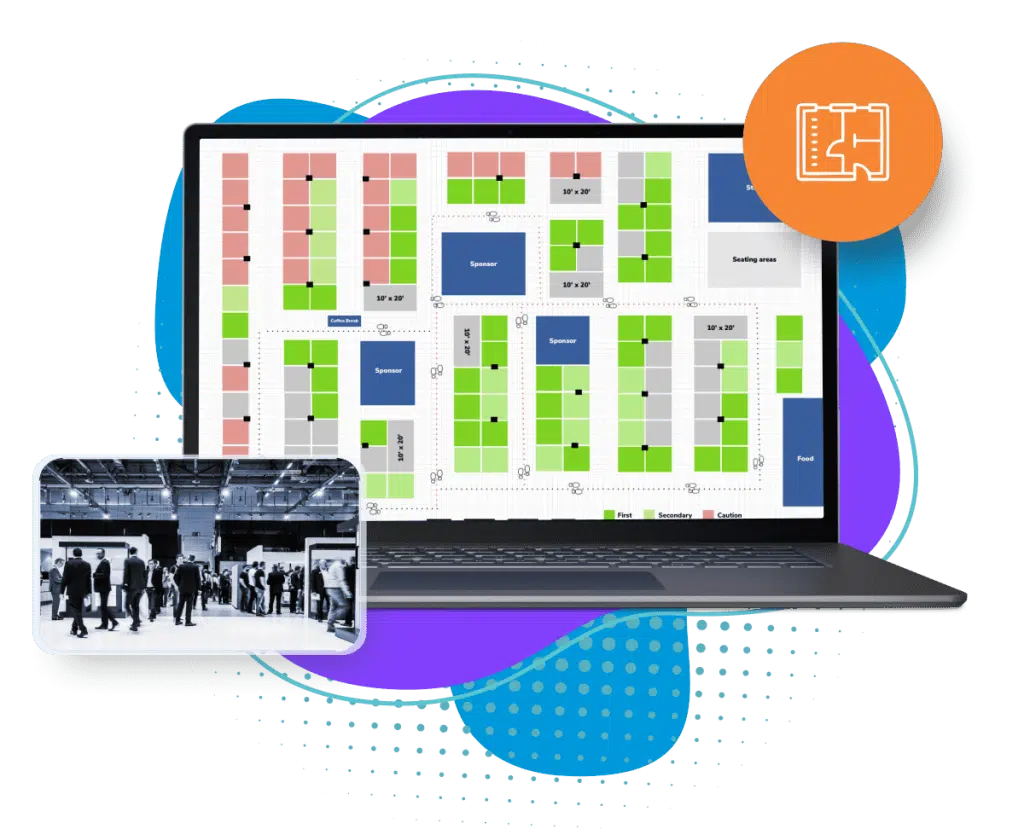
Attendees can use interactive floor plans to find booths and key areas from their phones, and updates show in the floor map instantly.
Event floor plan software
The Eventdex platform
Check-in, badges and maps that your signs point to
- Check-in and badge printingQR check-in and badges printed on demand.Learn more about Check-in and badge printing
- Check-in kiosksSelf-service check-in and badge printing.Learn more about Check-in kiosks
- Custom badgesBadges with QR codes and sponsor branding.Learn more about Custom badges
- Interactive floor planBooths and key areas on attendees' phones.Learn more about Interactive floor plan
“We really appreciated the adaptability of the software to meet our changing needs. For example, we liked being able to create promo codes to offer reduced rates to conference attendees with special circumstances.”
 University at Buffalo
 Eversource Energy
 Georgia Tech
 Influence Communications
FAQ
Event Signage: common questions
What is event signage?
Event signage is the printed and digital signs used at an event: entrance and welcome signs, registration signs, wayfinding, room and session signs, program boards, sponsor signs and safety signs.
Which signs does every event need?
At minimum: an entrance sign, signs that direct people to registration, wayfinding at decision points, room signs at every session door, and the safety and accessibility signs the venue requires.
When should you order event signs?
Once the venue, the room names and the program are fixed, and early enough to allow for proofs, printing and delivery. Allow extra time for any sign that needs sponsor approval.
Should you use digital or printed signs?
Use printed signs for things that do not change, such as directions and room names, and screens for what does, such as the live program and room changes. Many events use both.
Does Eventdex make event signs?
No. Eventdex does not design or print signage. It handles registration, check-in, badge printing and floor plans, which your signs direct attendees to.
Run smoother check-in with Eventdex
Start with a free interactive floor plan, or talk to an event specialist on +1 (866) 434-5088.