



Virtual Event Marketing
How do you market a virtual event?
Marketing a virtual event is the same job as marketing any event, with one difference that changes the plan: nobody has to travel, so the cost of saying yes is small, and so is the cost of forgetting. People register in a second and skip the session in a second. The plan therefore spends less effort on convincing and more on reminding, on making the value of the session obvious, and on giving registered people a reason to show up live.
This guide is a working marketing plan for a virtual event: who you are talking to, what you say, where you say it, a timeline from the first announcement to the follow-up, what the registration page needs, and a checklist to copy. For the broader plan that covers every event format, see the event marketing plan guide; for a long list of tactics, see event promotion ideas. This page keeps to what is specific to virtual events.
Updated by the Eventdex team



4.7/5 from 39 reviews on each
Start with one audience and one goal
A virtual event can reach anyone with a connection, which tempts organizers to aim at everyone. The result is a message that fits nobody. Pick the one audience whose attendance would make the event a success, and write the plan for them.
Then set one goal in a form you can count: registrations, live attendance, leads for sponsors, or members who join afterward. The goal decides everything else. A goal of registrations pushes you toward reach; a goal of live attendance pushes you toward reminders and a reason to be there at the start time.
Who exactly is the audience?
Name a role, an industry or a problem, not a demographic. Example: operations managers at mid-sized logistics firms who are choosing a new tracking system.
What do they get that they cannot get from a recording?
If the answer is nothing, the live session will lose to the recording. A live Q&A, a chance to meet a peer or a guest they want to hear from is a reason to be there at the time.
What counts as success?
A number and a date: for example, registered and attended, or registered and booked a meeting. Write it down before you start so you can judge the event afterward.
Who else benefits?
Speakers, sponsors and partners all have audiences. Their reach is often larger than yours, so the plan should give them something easy to share.
Write the message before you choose the channels
Every channel will repeat the same few lines, so write them once. A strong virtual event message answers four questions in under a minute of reading: what is it, who is it for, what will I leave with, and when and how do I join.
Lead with the outcome for the attendee, not the format. People do not register for a virtual event; they register to learn how to cut their reporting time or to hear a particular speaker. Put the format, date and time zone on a separate line so they are easy to find.
A one-line promise
Finish the sentence: after this session, you will be able to... Keep it concrete and honest.
Three reasons to attend live
Pick from: a named speaker, a live Q&A, a networking or matchmaking session, a giveaway announced only on the day, or a template shared only with live attendees.
Time zones, spelled out
State the start time in the time zones where most of your audience lives, and link a converter. A confusing start time is the most common reason registered people miss a virtual event.
A recording policy
Say plainly whether registered people get a recording. If they do, say so and give a reason to come live anyway. If they do not, say that too, because it raises live attendance.
Channels that work for virtual events
Use fewer channels and use them well. Start with the places your audience already pays attention to, and add others only when you can keep them fed. Eventdex emails are for event transactions such as confirmations, reminders and updates to people who have registered, so use your own email tool for outreach before registration.
| Channel | Best for | Watch for |
|---|---|---|
| Your own email list | Past attendees, members and customers who already know you | Sending the same email to everyone; split by past behavior if you can |
| Speakers and guests | Reaching new audiences through people they already trust | Giving speakers nothing to share; send a ready post, image and link |
| Partners and sponsors | Adding audiences you cannot reach yourself | Unclear asks; agree on how many posts or emails and when |
| Social media | Teasers, speaker announcements and countdowns | Posting only the link; show a quote, a question or a clip instead |
| Your website and blog | Capturing people already searching for the topic | Burying the registration link; put it above the fold |
| Communities and groups | Reaching people who care about the topic | Pitching in groups that ban promotion; read the rules and add value first |
| Paid promotion | Filling the last seats once the message is proven | Spending before you know which message converts |
A virtual event marketing timeline
The weeks below count back from the event. Virtual events can be promoted on a shorter cycle than in-person events, but the order matters: announce, build proof, remind, then follow up. Compress the weeks for a small session and keep the sequence.
| When | What to do | Output |
|---|---|---|
| 6 to 8 weeks before | Set the audience and goal; write the message; build the registration page; recruit speakers and partners | Live page with a working registration form |
| 5 to 6 weeks before | Announce to your own list and social; send speakers and partners their share kit | First announcement; partner posts scheduled |
| 3 to 4 weeks before | Publish speaker and session details one at a time; share a question or topic that invites replies | A steady drip of reasons to register |
| 1 to 2 weeks before | Reminder to people who have not registered; push on partner reach; share a short agenda | Registrations peak |
| 3 days before | Send a clear how-to-join message to registered people; test the join link | Registered people know where to click |
| The day before and morning of | Reminders with the start time and join link; a teaser for what happens live | Lower no-show rate |
| During the event | Post live quotes and moments; announce any live-only offer; invite people to ask questions | Social proof and visible activity |
| Within 24 hours after | Thank you, recording or slides, a short survey and one clear next step | Follow-up sent while the event is fresh |
| 1 to 4 weeks after | Publish clips, a summary and the top questions; send a sales or membership follow-up to those who asked for it | Content that keeps working and a list of warm contacts |
The registration page does most of the selling
Every channel sends people to one place, and that page decides whether they register. Make it do four things: say what the event is, show who is speaking, show the schedule, and make registration take less than a minute.
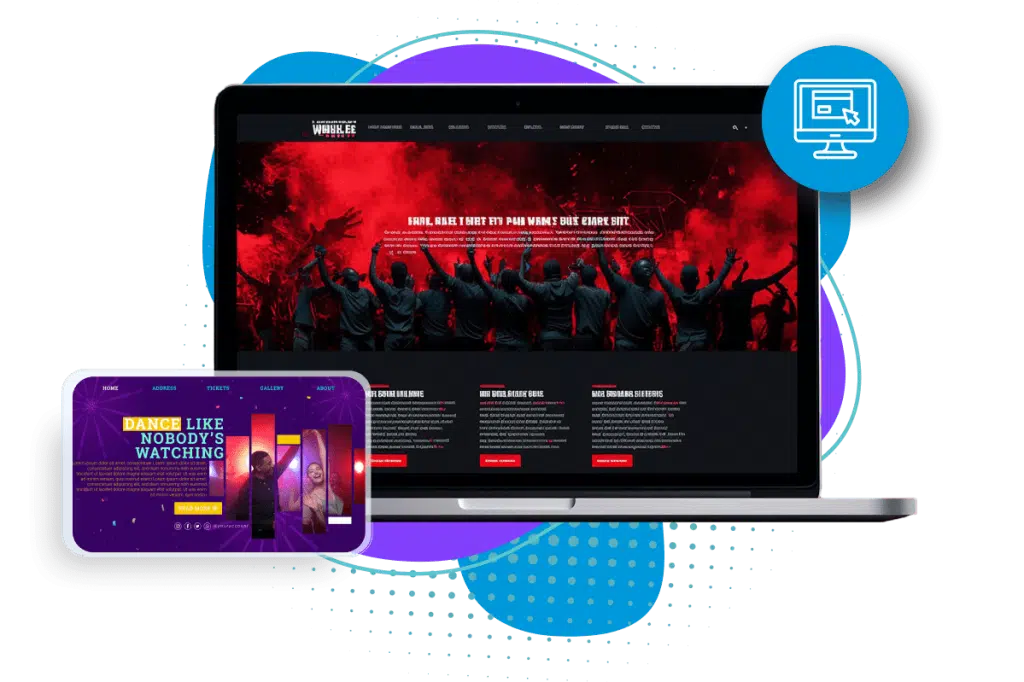
Eventdex registration software includes an event website builder, which creates branded event registration pages from templates without needing to know HTML, so the page can carry your branding and a registration form. Whatever the form asks, ask only what you will use.
A headline that matches the promise
Use the same line as in your announcements, so people who click through know they are in the right place.
Date, time and time zone at the top
Show the start time, the length and a note on how people will join, so no one has to hunt for it.
Speakers with photos and one line each
People register for people. A real photo and a line on why the speaker matters is worth more than a long bio.
A short agenda
Three to five lines is enough. People decide in seconds whether the session is relevant.
Conference agenda guideA short form
Name, email and, at most, one or two questions that you will really use. Every extra field loses some registrants.
Event registration form guideWhat happens after registering
A confirmation that says where the join link will arrive and when, and a calendar invite if you can offer one.
Reminders and the day of the event
Registration is not attendance. For virtual events the gap between the two is wide, and closing it is the part of marketing that most plans skip. Reminders are event messages: they carry the date, the time and the link to people who have said they are coming.
Eventdex's pages describe two things for this side of the job. The hybrid event platform page says organizers can send targeted push notifications to attendees, and the virtual platform page lists appointment confirmation emails and push notifications for roundtable appointments. Use those for the practical message, and keep the persuasion for the pre-registration stage in your own tools. Eventdex's pages do not describe ad or promotional campaign tools, so run those elsewhere.
A reminder when they register
The confirmation is the first reminder. Put the date, time zone and how to join in it.
A reminder the day before
Short: the time, the link, and one line on the best thing about the session.
A reminder shortly before the start
A message in the last hour with the join link works better than a day-before message alone, because people act on what is in front of them.
A reason to be there at the start
A live-only offer, a prize drawing or a first question taken from the audience gives people a reason to be on time.
Make joining effortless
One link, no extra account steps, and a tested join process. Every step between the reminder and the session costs attendance.
Marketing after the event
The event is also content. A good virtual event produces a recording, a set of questions and answers, quotes, slides and a list of people who showed interest, and each of those can promote the next event or your product.
Send the thank-you within a day, while the topic is still on people's minds, and give each group a different next step: those who attended live, those who registered but did not attend, and those who asked a question. The follow-up email guide has templates, and the post-event survey guide covers what to ask.
Recording and slides
Send them to registrants, and say whether the recording will stay online. Cut two or three short clips for social media.
Top questions answered
Turn the best audience questions into a short article or post. The Eventdex Q&A widget lets organizers export submitted questions, which gives you the list.
Live event Q&A widgetA different message per group
Attended: thank them and offer the next step. Did not attend: send the recording. Asked a question: answer it personally.
Event follow up email templatesA short survey
Two or three questions, sent with the thank-you, so the answers come while memory is fresh.
Post event survey guide
A virtual event promotion checklist to copy
Paste this into your project notes and fill in the brackets. Tick each line as it is done.
Virtual event marketing checklist
VIRTUAL EVENT MARKETING CHECKLIST
Event: [Name]   Date and time: [Date, time, time zone]   Platform: [Name]
Audience: [One sentence]   Goal: [Number] [registrations / live attendees / leads] by [date]

MESSAGE
[ ] One-line promise written
[ ] Three reasons to attend live written
[ ] Time zones listed and a converter linked
[ ] Recording policy decided and stated

REGISTRATION PAGE
[ ] Headline matches the promise
[ ] Date, time and how to join shown at the top
[ ] Speakers with photos and one line each
[ ] Short agenda
[ ] Form with no more than [3] fields
[ ] Confirmation message and calendar invite tested

CHANNELS
[ ] Own email list: announcement [date], reminder [date]
[ ] Speakers: share kit sent [date]
[ ] Partners and sponsors: posts agreed [dates]
[ ] Social: teasers scheduled [dates]
[ ] Website: banner and link added [date]
[ ] Communities: rules checked, posts planned [dates]

REMINDERS (event messages to registered people)
[ ] Confirmation on registration
[ ] Day before: time and link
[ ] One hour before: join link
[ ] Live-only offer announced at start: [what]

DURING
[ ] Someone posting live quotes and moments
[ ] Questions collected for the follow-up

AFTER
[ ] Thank-you within 24 hours with recording and slides
[ ] Survey sent
[ ] Clips published [date]
[ ] Different follow-up for attended, did not attend, asked a question
[ ] Results against goal recorded: [number]
The Eventdex platform
From registration page to the live virtual event
- Event registration softwareA website builder, registration pages and payments.Learn more about Event registration software
- Virtual event platformOnline sessions, roundtables, networking and analytics.Learn more about Virtual event platform
- Live event Q&A widgetSession questions, upvoting, moderation and export.Learn more about Live event Q&A widget
- Event gamificationTrivia and leaderboards that keep people taking part.Learn more about Event gamification
“Eventdex helped me run a smooth registration process during my event and helped me deliver an excellent mobile application to my event's attendees. Their support team was brilliant and I really enjoyed incorporating the Eventdex solutions into my events.”
 University at Buffalo
 Eversource Energy
 Georgia Tech
 Influence Communications
FAQ
Virtual Event Marketing: common questions
How far ahead should I start marketing a virtual event?
Six to eight weeks is a comfortable window for most events, and a smaller session can run on less. What matters is the sequence: announce, share speakers one at a time, remind, then follow up. Give speakers and partners enough notice to share the event with their own audiences.
Why do so many registered people not attend a virtual event?
Registering costs a click and attending costs an hour. Clear time zones, a reminder the day before and shortly before the start, one simple join link and a reason to be there live all help. Be clear about whether a recording will follow, because people skip the live session when they know one will.
What is the best channel for promoting a virtual event?
Usually the one that reaches people who already know you: your own list, then speakers and partners who bring their own audiences. Social media and paid promotion work best once you know which message converts. Test on a small scale before you spend.
Can I use Eventdex to send marketing emails for my event?
Eventdex email is for event transactions: confirmations, reminders and updates to people connected to the event. Use your own email tool for outreach before people register.
Should a virtual event be free or paid?
It depends on the goal. A free event is easier to register for, while a price can raise commitment. One option is to keep the live event free and charge for premium access, the recording or a follow-up program. Choose the model that fits your goal and test it.
Run your next virtual event on Eventdex
Start with a free interactive floor plan, or talk to an event specialist on +1 (866) 434-5088.