



Trade Show Booth Design
How do you design a trade show booth that works?
A good trade show booth design does one job: it makes the right people stop, understand what you do in a few seconds, and gives your team a comfortable place to talk to them. Everything else, the graphics, the lighting, the furniture, is in service of that job. Most booths that fail are not ugly. They are unclear, crowded or built around a product shelf rather than a conversation.
This guide takes you through the design in the order the decisions depend on each other: goals first, then footprint and layout, traffic flow, the signage hierarchy, lighting, demos and staffing zones. It ends with a design brief you can copy and send to a booth builder, and a checklist for the week before the show. For ideas on what to do at the booth, see the trade show booth ideas guide. For the full run of tasks around the show, use the trade show checklist.
Updated by the Eventdex team



4.7/5 from 39 reviews on each
Start with the goal, not the graphics
Write down what the booth must achieve before anyone opens a design file. A booth built to collect qualified leads looks different from one built to launch a product or to meet existing customers. The goal decides how much open space you need, whether you need seating, how many demo stations you can staff, and what you can leave off the walls.
Keep the list short. Two or three goals is a design brief; ten is a wish list. For each goal, name how you will know it worked, such as the number of qualified conversations, meetings booked or demos given. The trade show ROI guide covers how to measure it afterward.
Name one primary goal
Leads, launch, meetings or brand awareness. Pick the one that wins when two goals pull the layout in different directions.
Describe the visitor
Who should stop: buyers, partners, press? Design for that person's first five seconds at the aisle, not for everyone walking past.
Set the measures now
Decide how leads will be scored and captured before the show, so the booth has a place for that step.
Trade show ROI guide
Read the floor plan and the exhibitor rules first
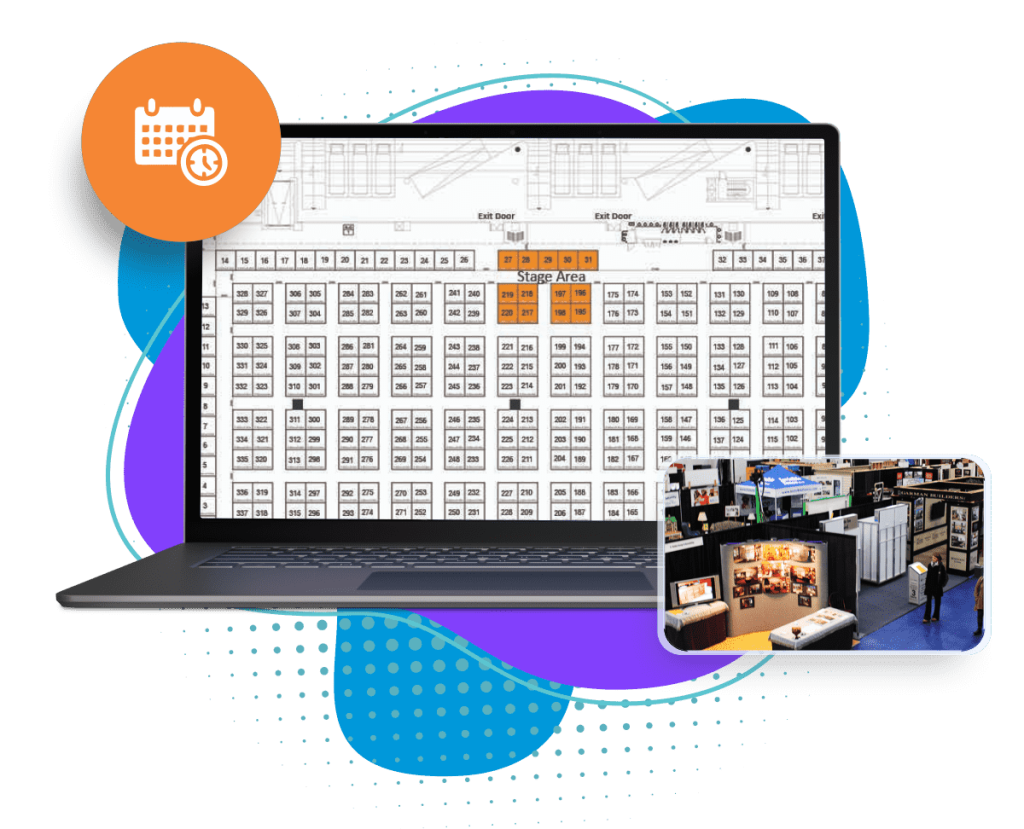
Your booth size, position and the neighbors on each side are fixed before you design a thing, so start from the show's floor plan and exhibitor manual. Look at where the aisles are, where attendees will enter the hall, and whether your booth is an inline, a corner or an island. A corner or island is seen from two or more sides and can use open walls; an inline booth is seen mostly from the front and needs a strong back wall and a clear front edge.
Check the rules that limit design: maximum wall and fixture heights, what is allowed overhead, whether carpet or flooring is required, how power and internet are ordered and where hanging signs may go. These rules come from the organizer and the venue and vary from show to show. Read the exhibitor manual rather than assuming, and ask the organizer when something is unclear.
Know your booth type
Inline, corner, peninsula or island changes which sides are open and where the visitor first sees you.
Mark what is fixed
Columns, power drops, fire exits and the neighboring booths. Draw them on your plan so you do not design through them.
Event floor plan softwareCollect the rules
Height limits, flooring, hanging signs, power and shipping deadlines, all from the exhibitor manual.
What an exhibitor manual contains
Lay out the booth in zones and keep traffic moving
Divide the footprint into zones before you place furniture. A typical booth has a welcome edge at the aisle, a demo or display area, a conversation area and a small private or storage area at the back. The most common mistake is putting a counter or table across the front, which becomes a barrier and tells visitors you are guarding something.
Think about how people move. Visitors walk past at speed, slow down when something catches their eye, and stop only if there is room to stop without blocking the aisle. Leave an open front, put the most visual element where the main flow arrives first, and give a visitor a way to step into the booth and out again without squeezing past furniture or staff.
Open the front
Keep tables and counters to the side or back so visitors can walk in without crossing a barrier.
Leave a landing space
A clear area just inside the edge where someone can stop, look and decide without blocking the aisle.
Separate noisy from quiet
Put demos and screens with sound away from the area where you hold longer conversations.
Plan storage and charging
Brochures, bags, chargers and a place for staff belongings, out of sight but within reach.
Build a signage hierarchy
Visitors read a booth in layers. The first layer is read from across the aisle in two seconds, the second from a few steps away, and the third once they have stopped. Design the signage in the same levels, and give each one a single job. If everything on the back wall is the same size, nothing is read.
At the first level, show who you are and what you do in a few words, high enough to be seen over the crowd. At the second, show the problem you solve or the product, with one image. At the third, hold the detail: a product list, a pricing page, a QR code to a page with more. Keep text short, use high contrast, and check how it looks from the far side of the aisle, not only on screen.
| Level | Read from | Job | What goes here |
|---|---|---|---|
| 1. Identity | Across the aisle | Who you are and what you do | Logo and a short descriptor, set high and large |
| 2. Message | A few steps away | Why stop | One headline and one strong image or product |
| 3. Detail | At the booth | Answer the next question | Product list, a QR code, a demo prompt, a sign-up point |
| 4. Action | In conversation | Capture the lead | A scan point or form, and a clear next step |
Light the booth and design the demo space
Halls are usually lit evenly and plainly, so a little thoughtful lighting makes a booth stand out. Light your focal points, the product or the main graphic, rather than the whole booth, and avoid glare on screens and glossy graphics. Ask the manual how lighting and power are ordered; hanging lights and extra power usually need to be booked in advance and may carry a fee.
A demo is the strongest reason to stop, but only if the station is easy to join. Give it a height people can watch from the aisle, a screen visible from a distance, and room for a small group. Decide who runs the demo and when: scheduled short demos on a visible timetable draw a crowd better than a screen looping with no presenter.
Light the focal point
Spot the product or main graphic and keep light off screens to avoid glare.
Order power early
Power, internet and rigging for lights are normally ordered through the organizer by a deadline.
Schedule the demos
Put short demos on a visible timetable and keep one person responsible for each slot.
Design for the people who staff it
A booth is a workplace for several days. Staff stand, talk and carry things for hours, so plan a place to sit out of sight, water, a charging point and storage for personal items. A booth that is comfortable to work in produces better conversations at the end of day three.
Give staff roles by zone. One person greets at the edge, one runs the demo, one handles longer conversations. Have a single place and a single method for capturing each lead so nothing lives in a pocket. Lead capture is where Eventdex helps: its lead capture app lets booth staff scan an attendee's badge QR code on a phone or tablet and fill in custom forms. Eventdex does not design or build booths; it covers capture and the floor plan.
Assign roles by zone
Greeter at the edge, demo lead in the middle, closer in the conversation area. Rotate so no one is stuck.
Capture every lead the same way
Scan the badge with the lead capture app and record qualifying notes on the spot.
Lead capture appPlan breaks
A rota with a place to sit and drink, away from the visitor area.
Write the design brief and use the checklist
A booth builder or designer needs the same few facts every time. Writing them down once saves rounds of revisions and keeps your internal team aligned. Copy the brief below, fill in the blanks and attach the floor plan and exhibitor manual.
Before you ship, run the checklist: dimensions confirmed against the show's rules, graphics proofed at full size, power and internet ordered, shipping dates met, a spare set of cables and chargers packed, and one full set-up rehearsed in advance if possible. The trade show checklist has the full task list around the show.
Booth design brief template
BOOTH DESIGN BRIEF

Show: [name, dates, venue, city]
Booth number and size: [e.g. corner, ___ x ___]
Open sides: [front / left / right / back]
Neighboring exhibitors: [if known]
Move-in and move-out dates: [dates and times]

GOALS (in priority order)
1. [primary goal and how we will measure it]
2. [second goal]
3. [third goal, optional]

AUDIENCE
Who we want to stop: [roles, industries]
What they should understand in five seconds: [one sentence]

BRAND
Logo files, colors and fonts: [attach]
Tone: [for example plain, technical, friendly]

LAYOUT ZONES
Welcome edge: [what goes here]
Demo area: [stations, screens, sound yes/no]
Conversation area: [seating for ___ people]
Storage and staff area: [size, lockable yes/no]

SIGNAGE
Level 1 (identity): [text, size, height]
Level 2 (message): [headline, image]
Level 3 (detail): [product list, QR code destination]

LIGHTING AND POWER
Lighting needs: [focal points]
Power outlets: [count and locations]
Internet: [wired or wireless, bandwidth]

STAFFING
Staff on the booth at once: [number]
Roles: [greeter, demo, closer]
Lead capture method: [app, form, other]

LIMITS FROM THE EXHIBITOR MANUAL
Maximum height: [from manual]
Flooring: [from manual]
Hanging signs: [allowed or not, where]

BUDGET AND DEADLINES
Budget for design and build: [amount]
Proofs due: [date]
Ship date: [date]

CONTACT
Owner: [name, phone, email]
The Eventdex platform
What Eventdex covers around your booth
- Lead capture appScan badge QR codes and fill in custom forms on a phone or tablet.Learn more about Lead capture app
- Event floor plan softwareInteractive floor plans where exhibitors view and book booths online.Learn more about Event floor plan software
- Exhibitor managementBooth sales, an exhibitor portal, booth staff and lead retrieval.Learn more about Exhibitor management
- Trade show solutionsRegistration, floor plans and lead capture for trade shows.Learn more about Trade show solutions
“We really appreciated the adaptability of the software to meet our changing needs. For example, we liked being able to create promo codes to offer reduced rates to conference attendees with special circumstances.”
 University at Buffalo
 Eversource Energy
 Georgia Tech
 Influence Communications
FAQ
Trade Show Booth Design: common questions
What should I decide first when designing a booth?
Your goal. A booth for qualified leads, a launch or customer meetings each needs a different layout. Write the goal and how you will measure it, then size the footprint and choose the layout around it.
How much text should a booth have?
As little as possible on the main signs. A visitor should understand who you are and what you do from across the aisle. Put the detail lower, on screens, in a QR code or in conversation.
Should I put a table across the front of the booth?
Usually not. A table or counter at the front acts as a barrier. Put tables to the side or back and keep the front open so visitors can step in.
Where do I find the limits on booth height and flooring?
In the show's exhibitor manual. Rules vary by show and venue, so check the manual and ask the organizer if anything is unclear before the design is final.
Does Eventdex design or build trade show booths?
No. Eventdex does not design or build booths. It offers a lead capture app for booth staff and interactive floor plans where exhibitors book their booth, which are the parts around the booth rather than the booth itself.
See lead capture and floor plans for your next trade show
Start with a free interactive floor plan, or talk to an event specialist on +1 (866) 434-5088.