



Event Planner Tools
Which tools do event planners need, job by job?
Event planners rarely use one tool. They use a handful, each chosen for a job: a spreadsheet for the budget, software for registration, an email tool for communication, an app or scanner for the day itself. The skill is picking the smallest set that covers every job without leaving gaps or making you copy data between them.
This guide goes through the jobs an event involves, what kind of tool each needs, and how to decide between a specialist tool and an all-in-one platform. It is also honest about what Eventdex covers and what it does not, because no one platform covers everything.
Updated by the Eventdex team



4.7/5 from 39 reviews on each
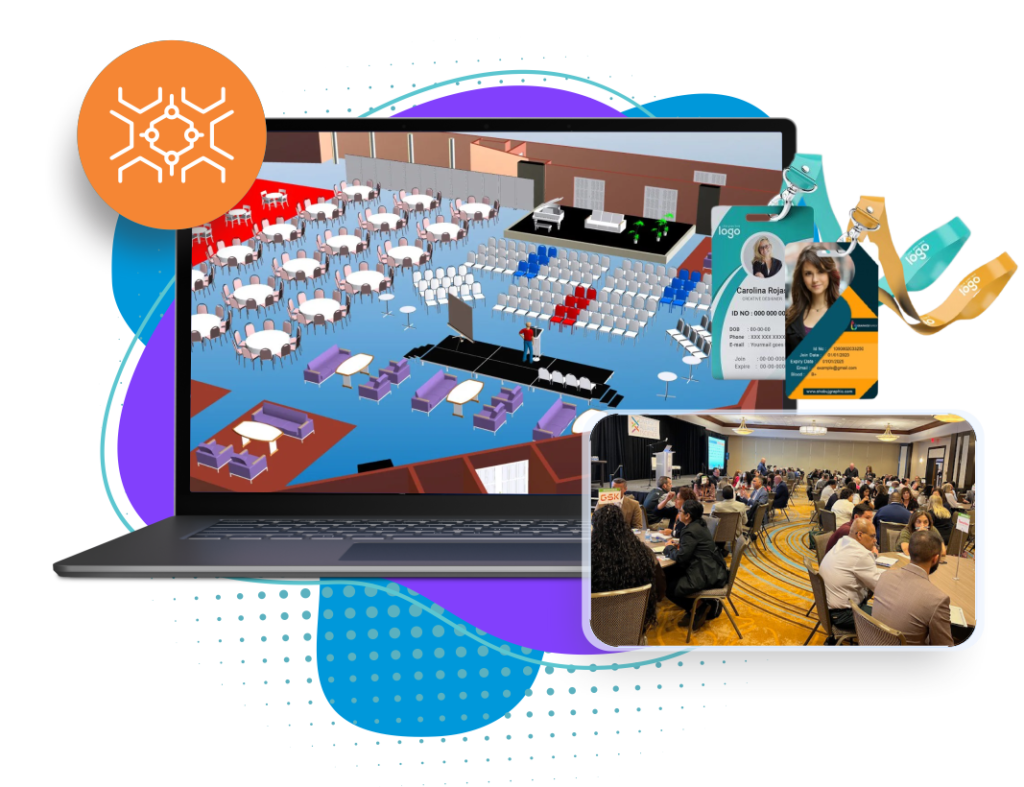
Event planner tools by job
Start from the jobs and fill in a tool for each. The last column says whether Eventdex covers the job, based on what its product pages describe:
| Job | What the tool does | Kind of tool | Eventdex |
|---|---|---|---|
| Goals and tasks | Track milestones, owners and deadlines | Spreadsheet or project management tool | Not covered |
| Budget | Plan, track and reconcile costs and income | Spreadsheet or finance tool | Not covered; ticket sales reports only |
| Venue and suppliers | Compare, contract and manage venues and vendors | Spreadsheet, contracts and email | Not covered; floor plans and seating are |
| Floor plans and seating | Draw the layout, sell booths, seat guests | Floor plan or seating software | Covered |
| Registration and ticketing | Sell tickets, collect details, take payment | Registration or ticketing platform | Covered |
| Website | A page that explains and sells the event | Website builder | Event page builder covered; not your main website |
| Communication | Invitations, reminders and campaigns | Email marketing tool | Email campaigns covered; connects to Mailchimp |
| Program and speakers | Agenda, sessions, speaker details | Agenda or event app | Covered |
| Check-in and badges | Admit attendees and print badges | Check-in app and badge printer | Covered |
| Engagement | Q&A, polls, networking, games | Event app or engagement tool | Covered |
| Virtual and hybrid | Run sessions online | Virtual event platform | Covered |
| Surveys and reporting | Measure results and satisfaction | Survey tool and reports | Surveys and reports covered |
Tools for planning: tasks, budget and suppliers
Before any software, an event needs a plan, and most planners keep it in tools they already know. These jobs are well served by general tools, which is why event platforms usually leave them out:
Task and timeline tracking
A shared list with owners and dates. Our planning timeline guide gives you the milestones to put in it.
Event planning timelineBudget
A spreadsheet with line items, estimates, actuals and income. Our event budget guide has the categories and a template.
Event budget guideRun of show
A minute-by-minute document that your team and suppliers all share on the day.
Run of show guidePlanning forms and checklists
A checklist or intake form keeps requirements in one place from the first conversation.
Event planning checklist
Tools for registration, communication and the event itself
These are the jobs where specialist event software saves the most time, because they share attendee data and happen under time pressure:
Registration and ticketing
Tickets, promo codes, questions and payments, producing the attendee list everything else uses.
Event registration softwareCommunication
Invitations, confirmations and reminders by email, and notifications in an app on the day.
Event management mobile appCheck-in and badges
Scanning tickets and printing badges on demand, so the line moves.
Onsite event management
How to choose between specialist tools and an all-in-one platform
Both approaches work. The right one depends on how many events you run and how much connecting work you are willing to do:
| Separate specialist tools | All-in-one platform | |
|---|---|---|
| Best for | One or two small events, or unusual needs | Regular events, larger events and repeat programs |
| Data | Exported and re-imported between tools | One attendee record shared by every module |
| Learning | Several tools to learn | One tool to learn, one support contact |
| Strength | You pick the best tool for each job | Fewer gaps and fewer handovers |
| Weakness | Mismatched lists and more admin | A module may be less deep than a specialist tool |
| Cost to check | Each subscription added together | Whether modules and add-ons are charged separately |
A tool stack worksheet you can copy
Fill in one line for each job and you will see the gaps and the overlaps in your current tools.
Event planner tool stack
EVENT TOOL STACK
Event or program: [Name]   Events per year: [Number]   Team size: [Number]

For each job, write the tool, who owns it and where its data goes.

GOALS AND TASKS
Tool: [Name]   Owner: [Name]   Data goes to: [Where]

BUDGET
Tool: [Name]   Owner: [Name]   Data goes to: [Where]

VENUE AND SUPPLIERS
Tool: [Name]   Owner: [Name]   Data goes to: [Where]

REGISTRATION AND TICKETING
Tool: [Name]   Owner: [Name]   Data goes to: [Where]

COMMUNICATION
Tool: [Name]   Owner: [Name]   Data goes to: [Where]

PROGRAM AND APP
Tool: [Name]   Owner: [Name]   Data goes to: [Where]

CHECK-IN AND BADGES
Tool: [Name]   Owner: [Name]   Data goes to: [Where]

ENGAGEMENT
Tool: [Name]   Owner: [Name]   Data goes to: [Where]

SURVEYS AND REPORTING
Tool: [Name]   Owner: [Name]   Data goes to: [Where]

REVIEW
Jobs with no tool: [List]
Jobs with two tools: [List]
Places we copy data by hand: [List]
Tool to replace or add first: [Name]   By: [Date]
What Eventdex covers, and what it does not
Eventdex is event software, not a project management or finance tool. It covers the attendee-facing and onsite jobs in one platform and connects to the tools around them. It does not replace your budget spreadsheet, your task tracker or your contracts.
Covered: planning tools
A free floor plan builder, seating, registration pages, tickets and promo codes, the agenda, and email invitations and campaigns.
Event planning softwareCovered: registration
Ticket types, registration questions, payments and walk-in registration.
Event registration softwareCovered: app and onsite
A white-label event app, QR check-in, kiosks and on-demand badges.
Onsite event managementCovered: virtual and hybrid
Online sessions, booths and networking, and hybrid events on one schedule.
Hybrid event platformNot covered
Budget management, task tracking, contract and supplier management, and travel and accommodation booking. Use a spreadsheet or specialist tool for these, and connect the rest through the integrations.
Integrations
The Eventdex platform
Event planner tools in one platform
- Event planning toolsFloor plans, registration, agenda and email campaigns in one place.Learn more about Event planning tools
- Registration softwareTicket types, promo codes, questions and payments.Learn more about Registration software
- Event mobile appThe agenda, speakers and notifications in a branded app.Learn more about Event mobile app
- Check-in and badgesQR check-in, kiosks and on-demand badge printing.Learn more about Check-in and badges
- Event badgesCustom badges and lanyards, printed on demand.Learn more about Event badges
“Eventdex helped me run a smooth registration process during my event and helped me deliver an excellent mobile application to my event's attendees. Their support team was brilliant and I really enjoyed incorporating the Eventdex solutions into my events.”
 University at Buffalo
 Eversource Energy
 Georgia Tech
 Influence Communications
FAQ
Event Planner Tools: common questions
What tools do event planners use?
Most use a spreadsheet or project tool for tasks and budget, registration or ticketing software, an email tool, an event app or check-in app for the day, and a survey tool afterwards. Many events add a floor plan or badge tool.
Are there free event planning tools?
Yes, for several jobs: spreadsheets for budgets and timelines, free tiers of email tools, and free floor plan builders. Eventdex offers a free floor plan builder, and pricing for the rest is on its pricing page.
Are "event organization tools" different from event planner tools?
The searches mean much the same thing. Both describe the software and templates used to organize an event, from the first plan to the day itself.
Should I use an all-in-one platform or separate tools?
For a single small event, separate tools are often enough. For regular or large events, one platform with a shared attendee record usually saves time because there is less copying between tools.
Does Eventdex manage event budgets?
No. Eventdex is event software for registration, planning, the app and onsite operations. Keep the budget in a spreadsheet or finance tool, and use Eventdex ticket reports for the income side.
Which tools should I set up first?
A task list and budget first, then registration, because it gives you the attendee list that communication and check-in depend on. Add the rest as the event takes shape.
Plan and run your next event on Eventdex
Start with a free interactive floor plan, or talk to an event specialist on +1 (866) 434-5088.