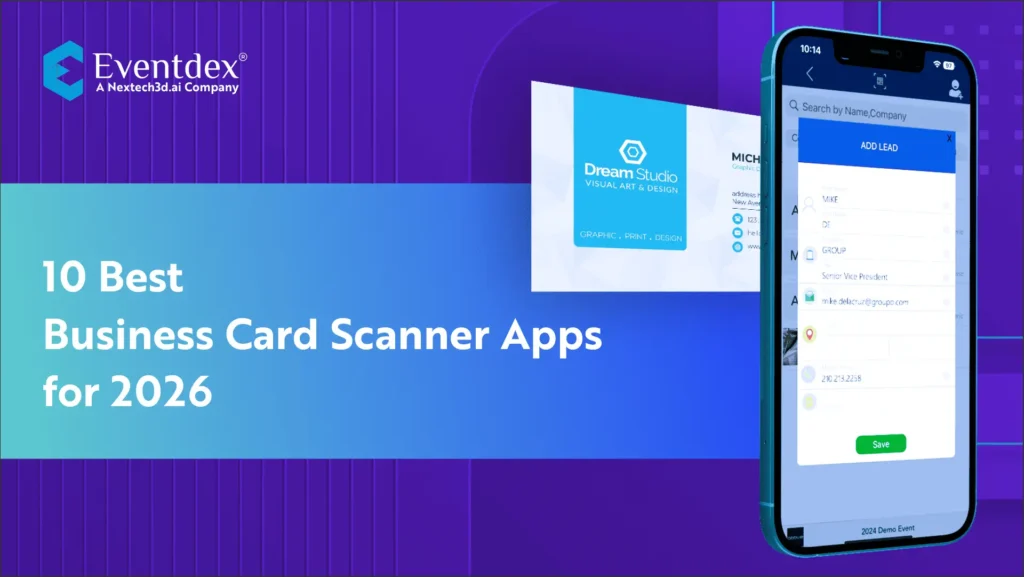
Top 10 Best Business Card Scanner Apps for 2026
In the event industry, a reliable business card scanner app has become essential for organizers, exhibitors, and sales teams who handle hundreds of new contacts at every conference or trade show. Even though digital tools have transformed event operations, business cards remain a common part of networking. The real challenge is keeping track of them and turning those quick conversations into real follow-up after the event.
Manually entering contact details is slow and often leads to mistakes. Cards get lost, mixed up, or forgotten once the event rush is over. This is why event professionals now depend on scanning apps that capture card details instantly, store them securely, and sync them with CRM systems. These tools help teams convert booth traffic into qualified leads, shorten follow-up time, and maintain organized contact lists long after the show ends. As we move into 2026, business card scanning has become a standard part of event workflows. It supports exhibitors who want faster lead capture, organizers who need better data quality, and sales teams who rely on accurate information to continue conversations after the event closes.
This blog covers the 10 best business card scanner apps for 2026, with a strong focus on tools that work well for trade shows, conferences, expos, and large-scale business events.
Must Have Capabilities in Modern Business Card Scanning Apps
Investing in the right business card scanner app is especially important in the event world because contact capture at tradeshows, conferences, expos, and networking meetups happens at a fast pace. Exhibitors meet hundreds of prospects in a single day. Attendees jump from one booth to another. Organizers need clean data for post-event analytics. When the environment moves quickly, the tool you choose must be reliable enough to keep up. Below are the core features event professionals should look for when selecting a business card scanner for events or any business card scanning software built for lead capture.
-
High Accuracy OCR That Works in Crowded Event Settings
At events, business cards come in every shape and finish. Glossy surfaces, odd fonts, vertical layouts, and multilingual designs are common. This makes OCR accuracy one of the most critical pillars of any digital business card scanning app. A powerful solution should be able to extract business card data automatically, even when the lighting is uneven or the booth is busy. Apps that use AI-powered OCR, such as those commonly found in top business card reader apps, provide more dependable results.
Accuracy matters because exhibitors do not have the time to correct fields manually when the line at the booth keeps growing. Tools that can convert business cards to contacts instantly help teams stay productive without breaking workflow.
-
CRM Integration for Real Lead Management
Events are only valuable when follow-up is done well. A business card scanner app with CRM integration ensures that every captured contact moves directly into systems like Salesforce, HubSpot, Zoho, or any event CRM the exhibitor already uses. This is especially useful for large trade shows where hundreds of records need to be synced quickly.
Look for features that support
• Automated syncing to pipelines
• Tags or custom fields for lead qualification
• The ability to map card fields to CRM fields
• Simple export options for marketing platforms
For sales-centric environments, a strong business card scanning app for sales teams creates a smooth bridge between offline conversations and online lead nurturing workflows.
-
Fast Scanning and Batch Capture
In high-traffic events like expos, scanning must be instant. The ideal card scanning app should allow quick capture without forcing users to retake images repeatedly. The best solutions offer bulk scanning so exhibitors can process a stack of cards after peak hours. For organizers and exhibitors attending international tradeshows, a multi language business card scanner is beneficial to prevent misinterpretation of foreign text.
-
Offline Capability
A dependable offline business card scanner app ensures that the device continues capturing information even when connectivity drops. This is ideal for large convention centers where signals vary. Offline capture prevents lost leads and keeps teams moving regardless of network conditions.
-
Team Collaboration and Centralized Access
Most event teams work in groups, not individually. A good business card reader app for exhibitions should allow multiple staff members to scan contacts into a shared database. Collaboration tools help organizers maintain clean, unified data that supports both analytics and follow-up. This is why many businesses compare tools like CamCard alternatives or evaluate the best business card automation tools for multi-user workflows.
-
Support for Both iOS and Android
Since event teams often use mixed devices, accessibility matters. Look for a business card scanner for iPhone and a business card scanner for Android that offer identical features and sync smoothly across platforms. This gives staff the freedom to use their preferred devices while contributing to the same shared contact list.
-
Smart Contact Management
Finally, look for smart contact management tools that store conversations, meeting notes, and tagging systems. Event teams depend on context because post-event follow-up must feel personal. Many professionals also explore digital contact management apps that track every touchpoint after the event.
A modern best business card scanner app for 2026 should support every aspect of event networking, from first scan to final follow-up, while acting as an all-in-one tool for accurate contact capture.
10 Best Business Card Scanner Apps for 2026
Managing contacts at events, conferences, and tradeshows can be overwhelming. Collecting dozens or even hundreds of business cards in a short period is a common scenario for exhibitors and sales teams. A robust business card scanner app for events ensures that every connection is captured digitally, instantly organized, and ready for follow-up. Here is a detailed review of the top ten platforms dominating the market in 2026.
-
Eventdex, a Nextech3D.ai company, Business Card Scanner App

Another major reason Eventdex appeals to event teams is its practical performance in real-world settings. Whether the event is indoors with stable Wi-Fi or at a massive expo hall where connectivity drops frequently, the scanner continues to function without interruption. The app supports both iOS and Android, offers real-time syncing, and can process hundreds of cards in one event day. It fits well into use cases like exhibitor booths, corporate events, hosted buyer programs, and conferences, where teams need a business card scanner for events that speed up follow-up efforts and eliminate manual entry. With the added advantage of cloud storage and CRM integration, Eventdex gives event professionals a reliable, modern, and accurate way to manage contacts across the full event lifecycle.
Key Features of Eventdex Business Card Scanner App
- Fast business card and badge scanning
- Real-time event lead capture app functionality
- Multi-language card reading support for global events
- Offline scanning capabilities
- CRM integration for automated business card to CRM transfer
- Team collaboration with role-based permissions
Pros:
- Tailored for tradeshows and conferences
- High-speed scanning with minimal errors
- Seamless CRM integration
- Cloud backup and analytics reporting
- Supports team collaboration
Cons:
- Advanced features may require training
- Pricing may be higher for smaller teams
Capterra Rating: 4.8/5
-
CamCard Business Card Scanner App

Event managers benefit from CamCard’s cloud sync feature, which allows multiple devices to share scanned contacts in real time. Its mobile capabilities make it ideal for teams moving through large conference halls or trade show floors. Coupled with features like business card tagging, batch scanning, and reminders for follow-up, CamCard remains a reliable choice for events where capturing accurate leads quickly is crucial.
Key Features of CamCard Business Card Scanner App
- Fully functional OCR for accurate text recognition
- Batch scanning for multiple cards
- Cloud sync across devices
- Multi-language support
- Integration with digital contact management apps
- Export to CRMs for business card to CRM automation
Pros:
- Easy to use with minimal setup
- Quick scanning and accurate recognition
- Supports multiple languages
- Cloud backup ensures data safety
- Works well for both small and mid-sized events
Cons:
- Some advanced CRM integrations require a premium plan
- Interface can feel dated compared to newer apps
Capterra Rating: 4.5/5
-
ScanBizCards Business Card Scanner App
 ScanBizCards is a specialized card scanning app tailored for sales teams and event professionals who require high accuracy and CRM integration. Its dual capture option allows users to scan cards using AI or request manual transcription for difficult cards, which is especially valuable at large exhibitions. For trade show teams, this app functions as a business card scanner for networking events, capturing leads efficiently, and allowing immediate action within the sales workflow.
The app integrates with multiple CRM systems, including Salesforce, HubSpot, and Zoho, ensuring that captured contacts are immediately actionable. Event managers can assign leads to specific team members, add notes, and track follow-up tasks. With features like QR code scanning, batch processing, and automatic contact enrichment, ScanBizCards stands out as a professional-grade solution for exhibitors and sales-focused teams.
Key Features of ScanBizCards Business Card Scanner App
- CRM integration with Salesforce, HubSpot, Zoho
- Batch scanning for rapid lead capture
- QR code scanning for trade show badges
- Multi-language business card scanner app for iPhone and Android
- Automatic contact enrichment and follow-up reminders
Pros:
- Highly accurate OCR
- Ideal for event teams and exhibitors
- Supports team collaboration
- Integrates with major CRMs
- Allows manual corrections for complex cards
Cons:
- It can be more expensive for small teams
- Slight learning curve for first-time users
Capterra Rating: 4.6/5
-
HubSpot Business Card Scanner App

While it may lack some of the advanced features of dedicated scanning platforms, its simplicity is an asset for small teams and startups attending networking events. Scanned contacts can be tagged, categorized, and followed up within HubSpot’s CRM, ensuring smooth workflows and organized lead tracking. Its mobile interface supports how to scan business cards on mobile easily, making it a practical solution for fast-paced events.
Key Features of the HubSpot Business Card Scanner App
- Free and easy to use
- Automatic syncing with HubSpot CRM
- Supports mobile scanning for business card scanner for Android and iPhone
- Tagging and categorization of contacts
- Quick follow-up and reminders
- Cloud storage for scanned contacts
Pros:
- No cost for HubSpot users
- Simple and intuitive interface
- Efficient for small teams at events
- Seamless CRM integration
- Good for basic business card scanning software needs
Cons:
- Limited advanced features
- Only works within the HubSpot ecosystem
Capterra Rating: 4.2/5
-
Zoho Business Card Scanner App

The app’s AI-driven OCR supports multiple languages, ensuring international contacts are captured accurately. It also allows offline scanning, which is crucial for large venues with unstable network connectivity. Zoho’s analytics help teams measure lead collection performance, making it a strong tool for event professionals seeking smart contact management tools integrated with their CRM.
Key Features of Zoho Business Card Scanner App
- Multi-language OCR support
- CRM integration with Zoho
- Offline scanning for trade shows
- Automatic categorization and tagging of contacts
- Batch scanning for multiple cards
- Analytics for tracking lead capture performance
Pros:
- Strong integration with the Zoho ecosystem
- Accurate multi-language scanning
- Works offline at large events
- Supports batch processing
- Helps track lead capture efficiency
Cons:
- Best suited for Zoho users
- The interface may feel complex for beginners
Capterra Rating: 4.4/5
-
CovveScan Business Card Scanner App

Covve Scan also enriches contacts automatically by cross-referencing social media profiles and publicly available company data. Its offline scanning feature allows teams to capture leads without worrying about connectivity issues. The app is particularly popular among sales teams and event professionals who require precision in lead capture and streamlined business card automation tools.
Key Features of the CovveScan Business Card Scanner App
- High accuracy OCR
- Automatic contact enrichment
- Multi-language support
- Offline scanning
- Batch scanning for events
- Export to CRMs for business card to CRM transfer
Pros:
- Excellent OCR accuracy
- Enriches contacts automatically
- Works offline
- Supports team collaboration
- Ideal for trade shows and exhibitions
Cons:
- Premium pricing for full features
- Some integrations require setup
Capterra Rating: 4.6/5
-
ABBYY Business Card Scanner App

The app supports multiple languages and integrates with cloud services for secure storage and team collaboration. ABBYY also allows batch scanning, ensuring fast capture during busy tradeshows. Its analytics help event managers track which team members captured which leads, streamlining post-event follow-up.
Key Features of the CovveScan Business Card Scanner App
- Best-in-class OCR technology
- Multi-language support
- Batch scanning for multiple cards
- Integration with CRM and cloud storage
- Secure cloud backup
- Analytics for lead capture performance
Pros:
- Exceptional scanning accuracy
- Handles complex card layouts
- Works offline
- Cloud backup and team collaboration
- Supports CRM integration
Cons:
- Cost may be high for small teams
- Learning curve for new users
Capterra Rating: 4.7/5
-
Sansan Business Card Scanner App
 Sansan is built for enterprise event teams and large-scale exhibitions. It functions as a business card scanning app for sales teams, enabling multiple users to scan cards and share them across the organization. Its team collaboration features make it ideal for trade shows where hundreds of leads are collected.
Sansan also integrates with major CRMs and marketing tools, providing a smooth workflow from contact capture to lead follow-up. Its AI-powered OCR ensures accurate extraction of details even from non-standard card designs. For event managers, Sansan acts as a top business card reader app, helping organize leads and streamline the post-event engagement process.
Key Features of the Sansan Business Card Scanner App
- Enterprise team support
- AI-powered OCR
- CRM and marketing tool integration
- Batch scanning for events
- Centralized contact database
- Analytics for team performance
Pros:
- Ideal for large events
- Accurate OCR
- Supports team collaboration
- CRM integrations
- Streamlined lead follow-up
Cons:
- Expensive for small teams
- Complex setup
Capterra Rating: 4.5/5
-
Microsoft Lens (OCR) Business Card Scanner App

The app converts scanned cards into editable contacts, exports to Outlook, and syncs with OneDrive. For event teams, Microsoft Lens serves as an efficient tool to extract business card data automatically while keeping all scanned content organized and searchable.
Key Features of the Microsoft Lens Business Card Scanner App
- OCR for business cards and documents
- Integration with Outlook and OneDrive
- Batch scanning support
- Multi-device syncing
- Editable contact export
- Offline scanning support
Pros:
- Free to use
- Works smoothly with Microsoft 365
- Efficient OCR
- Batch scanning for events
- Cloud backup via OneDrive
Cons:
- Limited CRM integrations
- Lacks advanced lead management features
Capterra Rating: 4.3/5
-
Evernote Business Card Scanner App
 Evernote combines note-taking and business card scanning for networking events. It allows users to scan cards and store both the original image and extracted contact details. Its integration with LinkedIn enriches contacts automatically, giving event teams more context for follow-up.
The app is simple to use, and multiple users can access a shared Evernote notebook to collect and manage contacts during exhibitions. For event professionals, Evernote functions as a smart contact management tool, combining card scanning with contextual note-taking.
Key Features of the Evernote Business Card Scanner App
- Scan and store the original card image
- Automatic OCR for text extraction
- LinkedIn integration for contact enrichment
- Tagging and categorization
- Shared notebooks for team collaboration
- Offline scanning
Pros:
- Easy to use
- Integrates with LinkedIn
- Supports team sharing
- Works offline
- Combines notes with contact management
Cons:
- Limited CRM integration
- Batch scanning is slower than dedicated apps
Capterra Rating: 4.2/5
Wrapping Up
Business card scanning has come a long way, especially for events where conversations move fast, and contact exchange needs to be instant. What used to be a stack of paper cards piling up in a bag now turns into clean, searchable, CRM-ready contacts in seconds. For event teams, exhibitors, sales reps, and business development professionals, adopting a business card scanner app is no longer an optional convenience. It is a foundational tool that prevents lead loss, reduces manual data entry, and helps teams respond faster after the event.
As 2026 approaches, the gap between teams that use smart scanning tools and those that still rely on paper-based workflows is getting wider. Events are high-pressure environments. Opportunities appear, disappear, and reappear in a matter of minutes. An efficient card scanning workflow ensures your team captures every lead accurately, shares them instantly, and moves conversations forward without friction. Eventdex, a Nextech3D.ai company, offers an advanced business card scanner built inside a complete event lead capture ecosystem. It gives exhibitors instant access to lead scoring, custom qualification forms, CRM syncing, marketing follow-up tools, and real-time reporting, everything your team needs to convert event conversations into measurable results.
So why wait? Try Eventdex Today and Transform How You Capture Leads at Every Event.
FAQs
What is a business card scanner app?
A business card scanner app uses OCR technology to capture card details, convert them into digital contact records, and store them on your phone or CRM.
Why are business card scanners important for events and tradeshows?
They help teams capture leads instantly, avoid manual typing, and ensure no contact is lost during busy event hours.
Is a business card scanner more accurate than manual entry?
Yes. Good scanners reduce typos, misspellings, and formatting errors using automated data extraction.
Can these apps sync contacts to CRMs?
Most professional tools sync directly with CRMs like Salesforce, HubSpot, Zoho, and Microsoft Dynamics.
Do business card scanners work offline?
Some apps support offline scanning and sync data once the device reconnects to the internet.
Which scanner is best for large conferences?
Eventdex is designed specifically for events, making it ideal for exhibitors and sales teams managing high lead volumes.
Are business card scanner apps secure?
Top providers use encryption and secure storage methods to protect user and contact data.
Can I scan cards in multiple languages?
Yes. Most premium apps support multi-language OCR for global tradeshows and international attendees.
Do these apps work on both Android and iPhone?
Most leading business card scanners support both platforms with cloud-sync features.
How fast do these apps process scanned cards?
High-quality scanners extract and format contact details within seconds, even for cards with complex layouts.